This tab displays all your future sessions that have been scheduled.
Each entry in the list includes:
- Session Title
- Scheduled Date & Time
- Presenter Name (if assigned)
- Session ID
- Invitees (Contacts or Guest users)
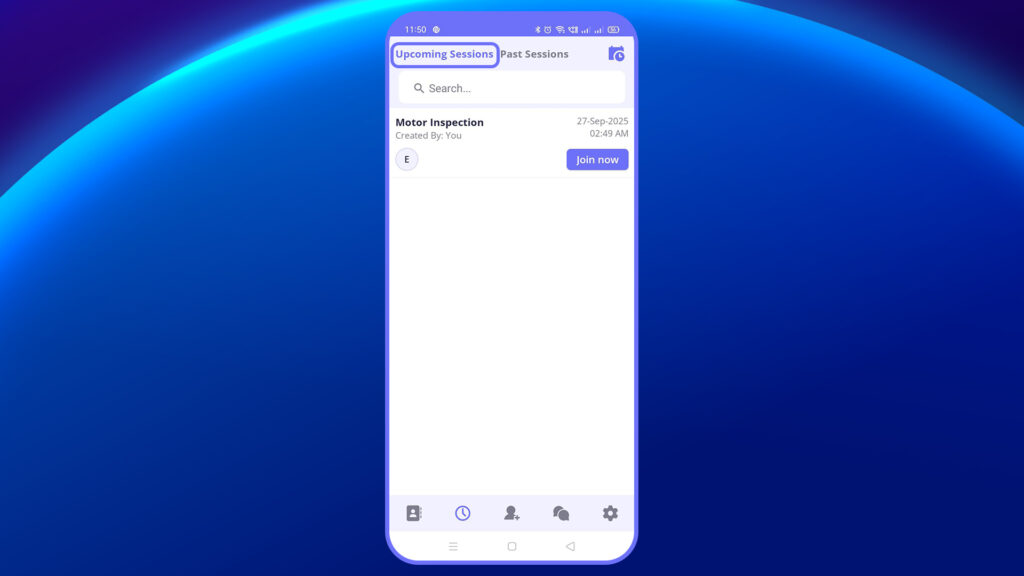
From this view, users can:
- Tap into a session to view or edit details
- Cancel or reschedule the session
- Re-invite participants or share the session link for easy access
You can also schedule a new session directly from here by tapping the “Schedule” option on the home screen.
You’ll be prompted to:
- Enter the Title and Description
- Choose Date & Time
- Select Invitees (from contacts or as guest users)
- Assign a Presenter
- Finally, tap “Create Schedule” to confirm
This is ideal for planning expert sessions or reviews in advance.


