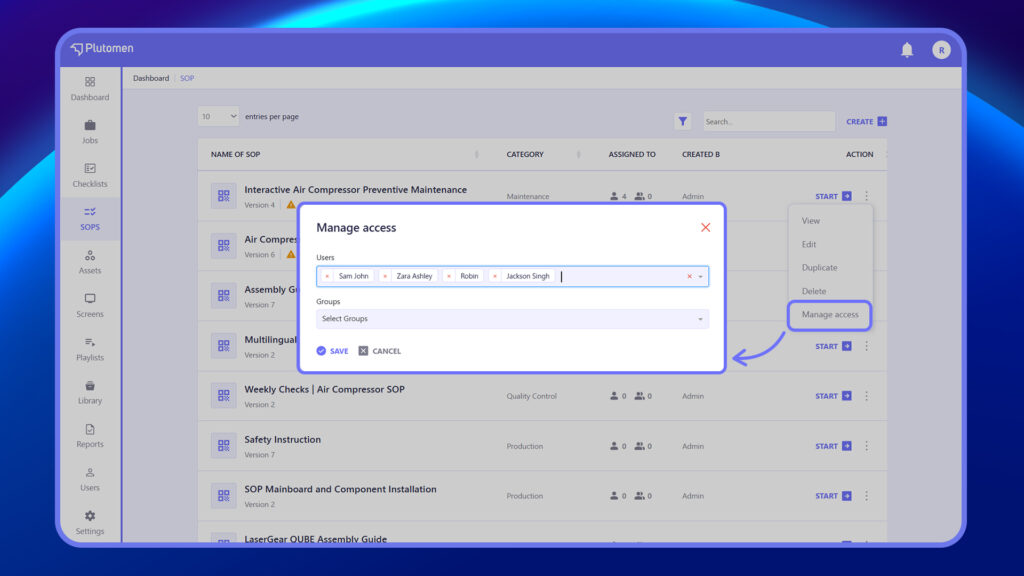
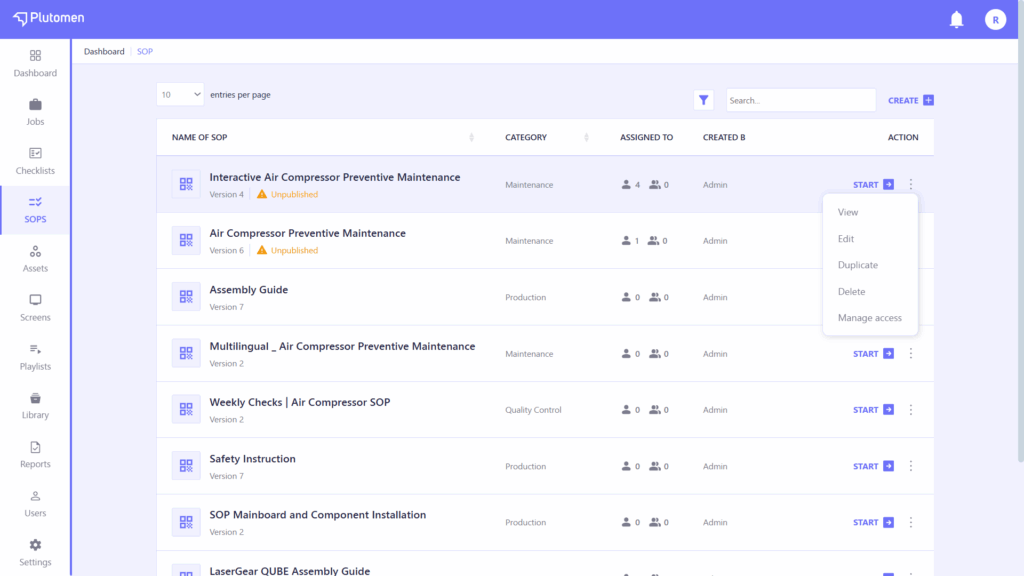
The Action menu lets you quickly edit, duplicate, delete, or manage access for any SOP, helping you maintain and control SOPs efficiently.
Edit SOP #
Allows you to modify the SOP’s content—such as updating steps, sections, instructions, media, and formatting. Ideal for keeping procedures current and accurate.
Steps to Edit SOP
- Find the SOP you want to edit in the SOP list.
- Click the three dots (⋯) next to the SOP title.
- Select “Edit” from the dropdown menu.
- The SOP will open in the editor for you to make changes.
Duplicate SOP #
Creates a copy of the selected SOP with all its content. Useful for creating similar SOPs without starting from scratch.
Steps to Duplicate SOP
- Locate the SOP in the list.
- Click the three dots (⋯) next to the SOP title.
- Select “Duplicate” from the dropdown menu.
- A copy of the SOP will be created and added to the list (usually titled “Copy of [SOP Name]”)
Delete SOP #
Removes the SOP permanently from the system. This action should be used carefully, as it cannot be undone.
Steps to Delete SOP
- Find the SOP you want to delete in the list.
- Click the three dots (⋯) next to its title.
- Select “Delete” from the dropdown menu.
- Confirm the deletion when prompted
Manage Access #
Let’s you control who can view, edit, or publish the SOP. You can assign access by selecting specific users or groups.
Steps to share access of SOP
- In the SOP list, click the three dots (⋯) next to the SOP title.
- Select “Manage Access” from the dropdown menu.
- In the Users section, add or remove individual users.
- In the Groups section, select or deselect groups to control group-level access.
- Changes are saved automatically or with a Save button.