Machine Type serves as a categorization tool to contextualize machines based on various factors. This categorization can include distinctions such as electric, mechanical, critical, or important, allowing for more efficient organization and management of the Machine.
Steps to Add Asset Type #
- Log in to the web platform.
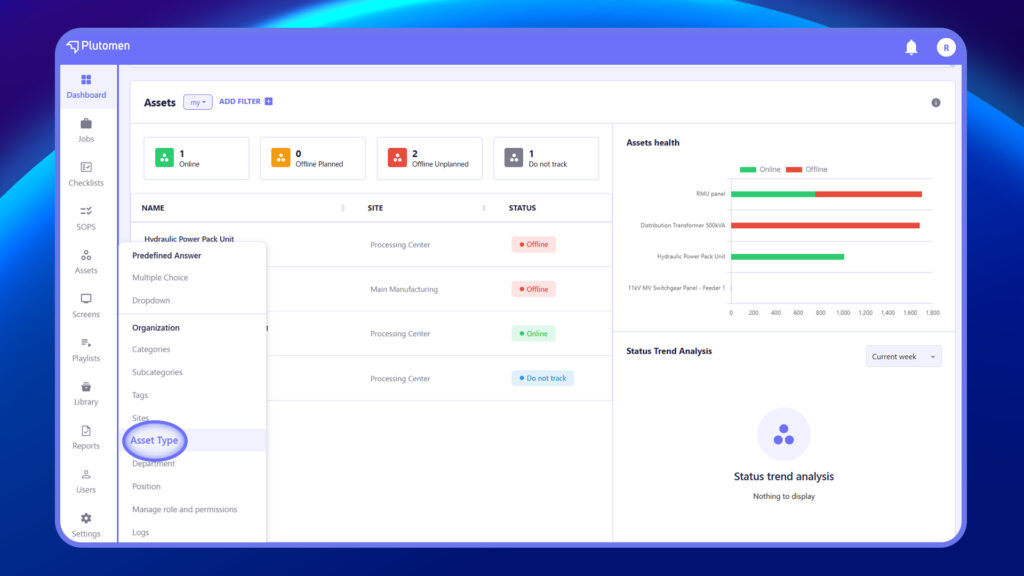
- From the left-hand menu, go to Assets > Asset Type.
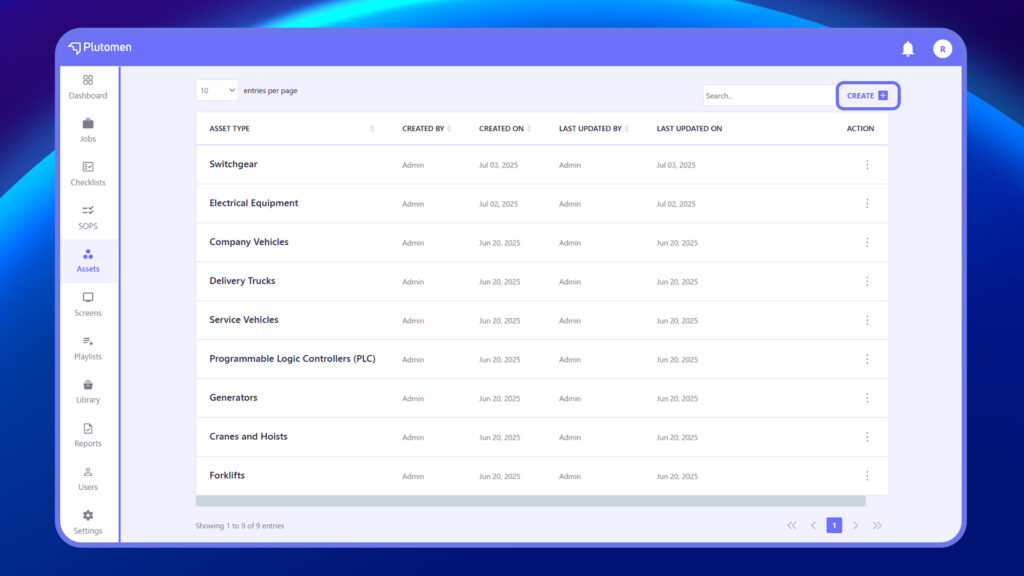
3. On the Asset Type page, click Create (top-right).
4. In the pop-up form, enter the asset name.
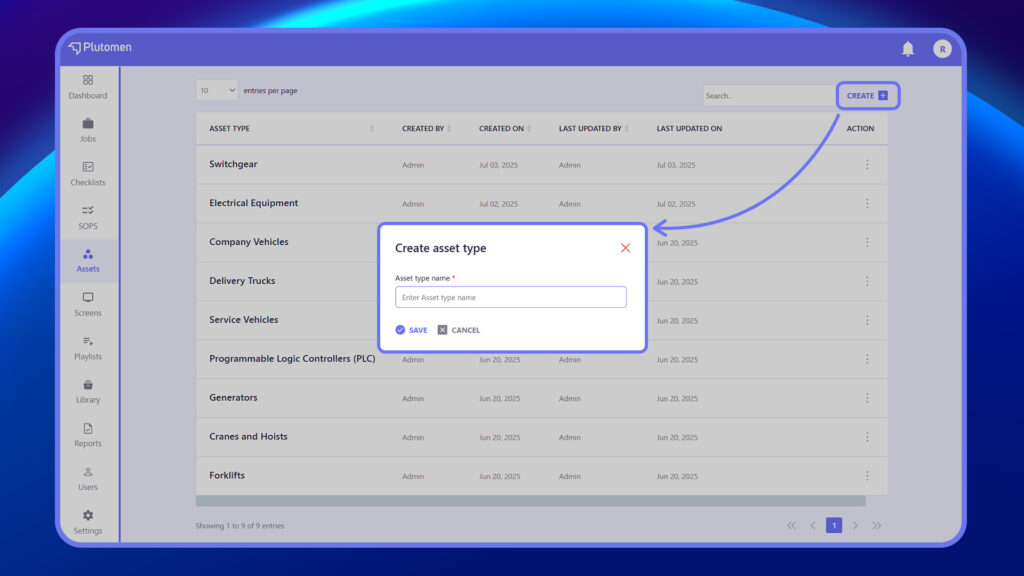
5. Click Save to add the new asset type.
6. The newly created asset type will now appear in the Asset Type list along with details like Created By, Created On, and Last Updated.


