You can begin executing an SOP directly from the SOP list.
Steps:
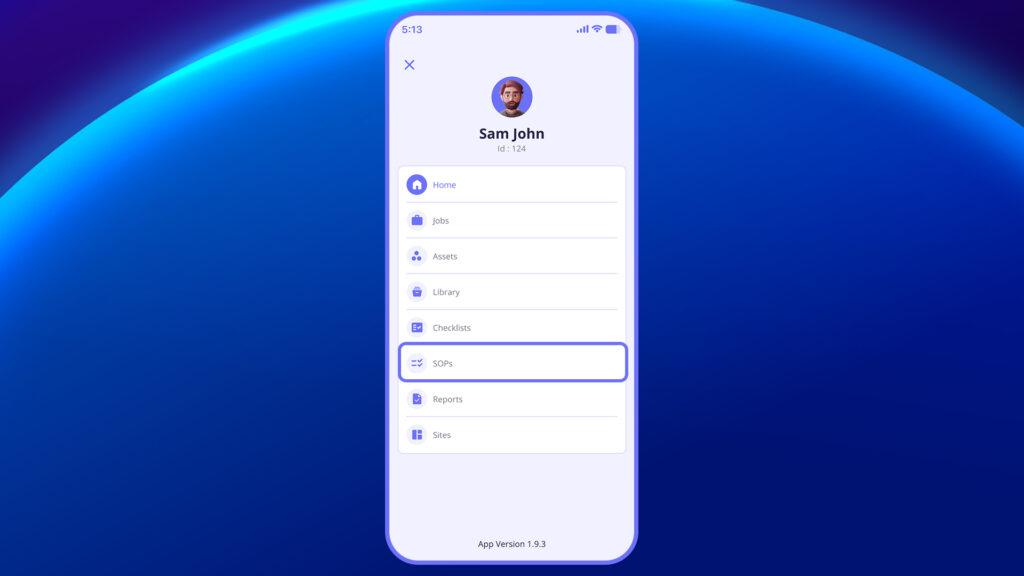
- Go to the SOP section from the main menu.
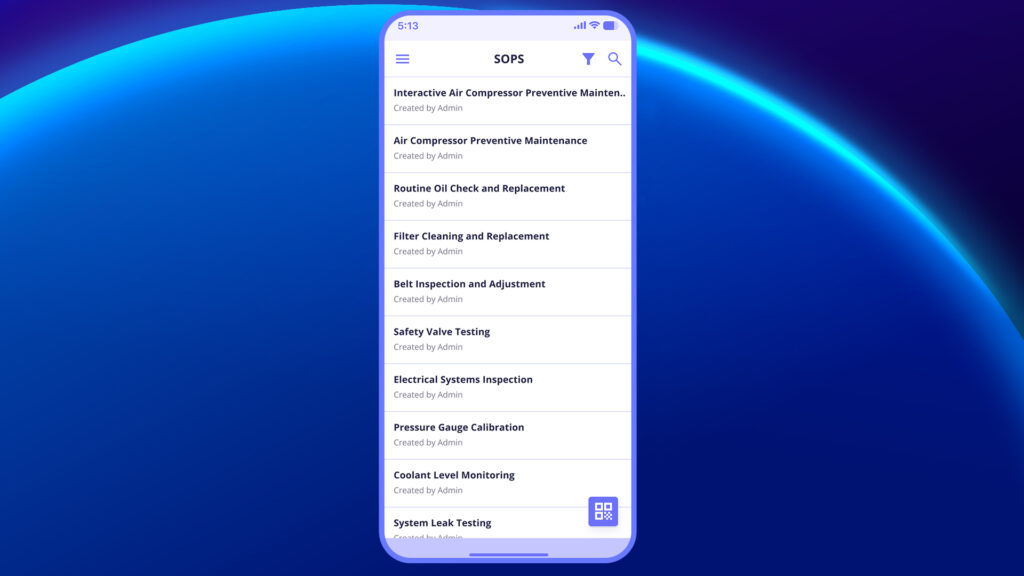
2. From the list of available SOPs, tap on the SOP you want to start (e.g., Air Compressor Preventive Maintenance).
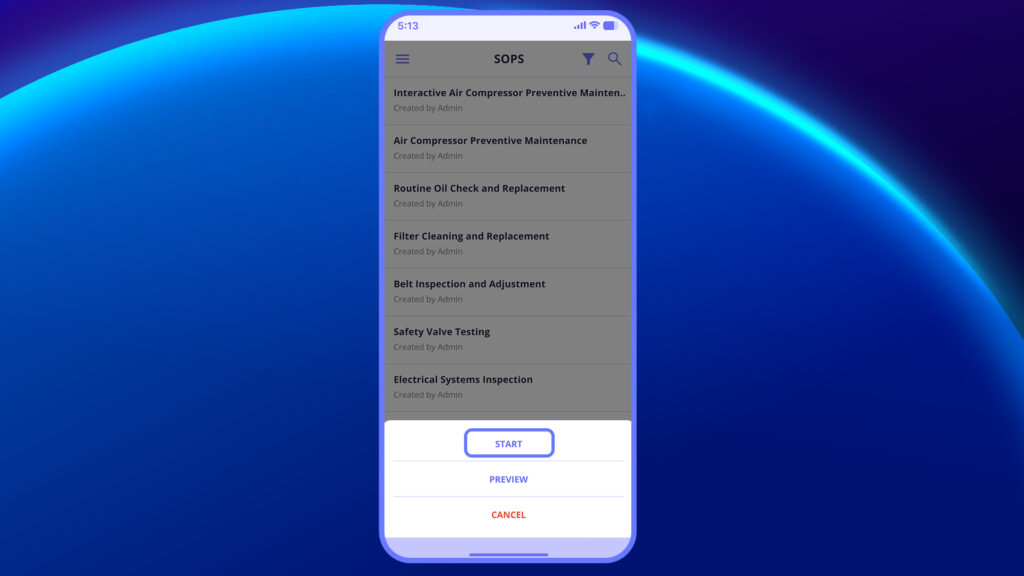
3. Once you’ve identified the SOP you want to work on, you can begin execution by tapping Start SOP.
4. Before the SOP begins, you’ll see key information such as:
- Job name
- Job ID
- Site
- Asset
- Category
- Description
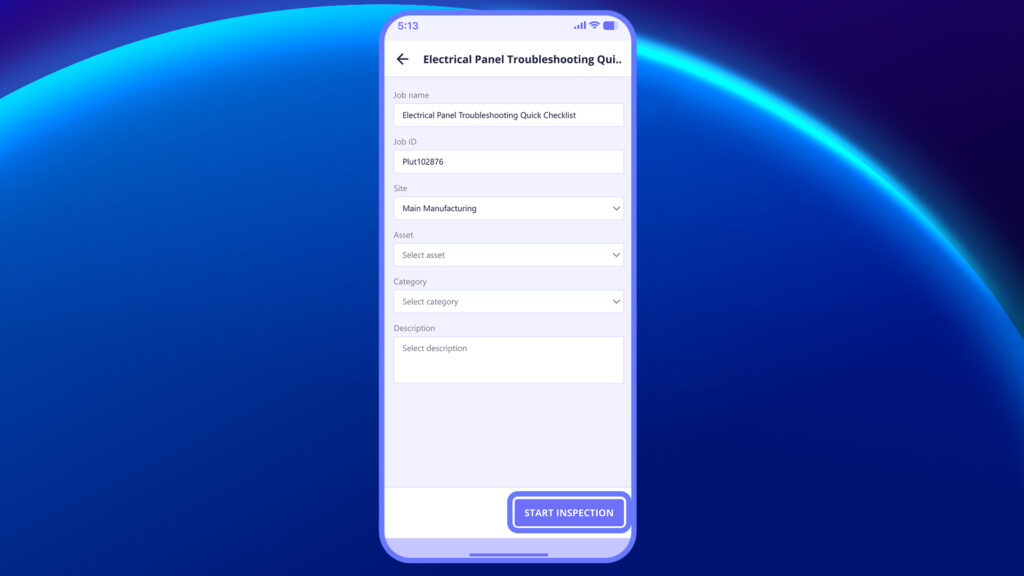
5. Tap Start SOP to begin the process.
6. Follow the on-screen steps and instructions until completion.
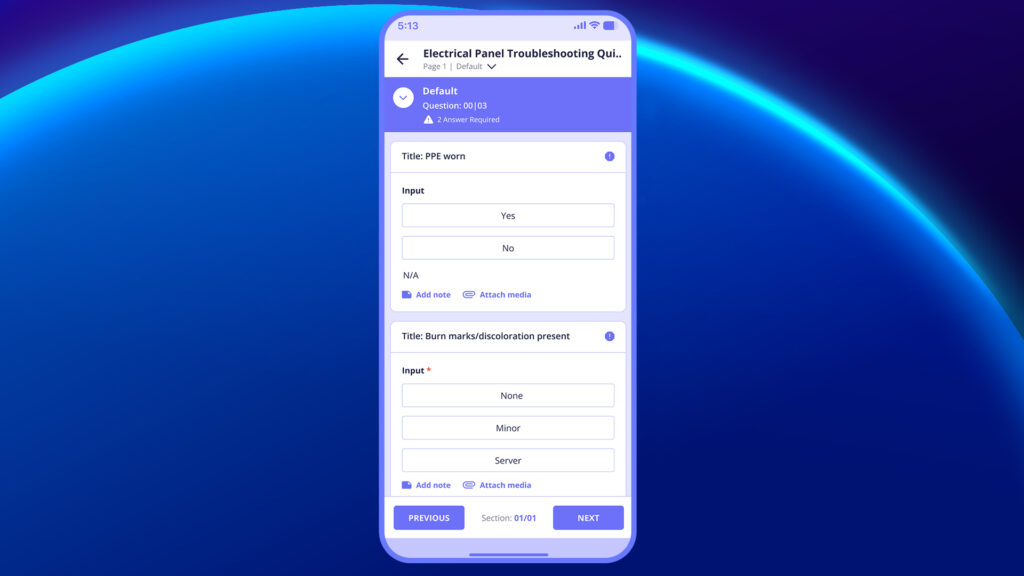
7. Once all steps are done, mark the SOP as Completed.
8. If required, tap on Download PDF to save or share a copy of the completed SOP.

In this video, you will learn how to start and complete an SOP step-by-step.


