View Categories

Site Managers can update or remove user records anytime.

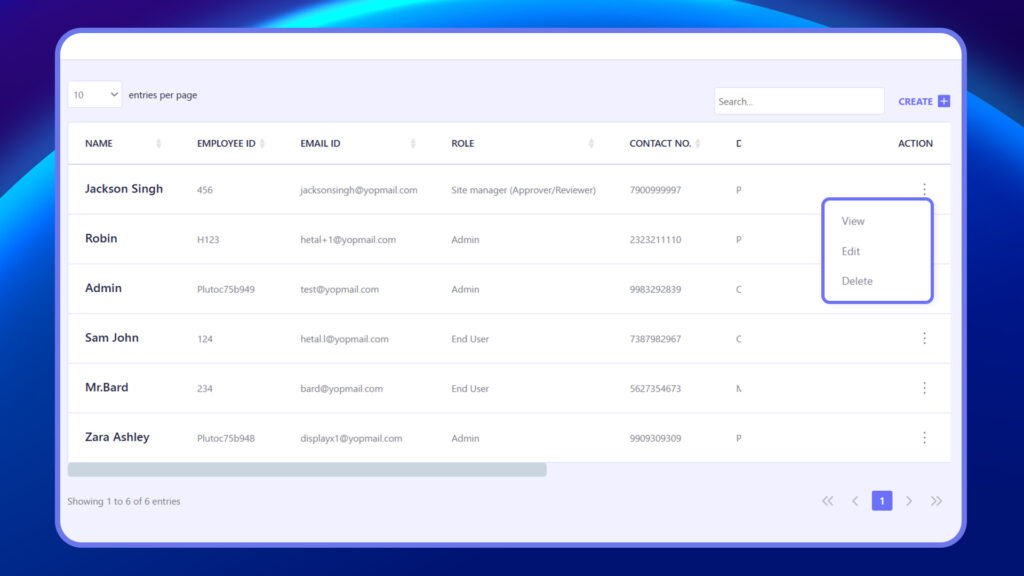
  1. In the Users list, locate the user.
  2. Click the three dots (⋮) under the Action column.
  3. Choose one of the following:
    • View – See user profile and role
    • Edit – Update user details
    • Delete – Permanently remove the user

Deleting a user will revoke their access permanently.
user view edit delete
Plutomen Logo
Privacy Overview

This website uses cookies so that we can provide you with the best user experience possible. Cookie information is stored in your browser and performs functions such as recognising you when you return to our website and helping our team to understand which sections of the website you find most interesting and useful.