User management functionality enables the Site Manager to efficiently add new users to the panel and remove existing ones as needed. This feature provides site managers with control over the user base, allowing them to maintain an up-to-date and secure environment
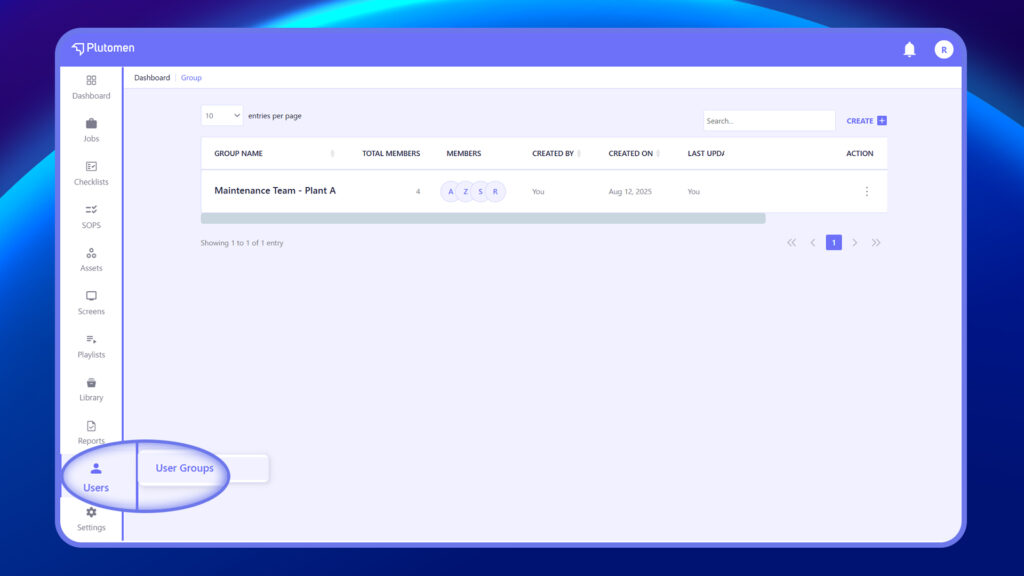
- Log in to the web app. Click on “Users” in the lower-left corner of the menu. Click on “Add Users” in the upper-right corner of the page.
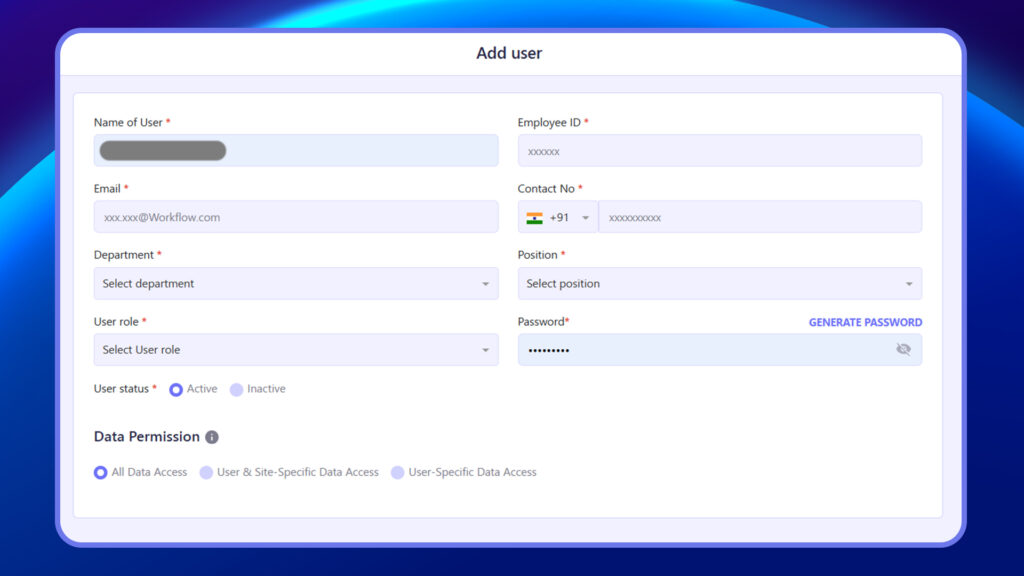
- Fill in the required fields in the Add User form:
Name of User: Full name or email ID
Email: Must be a valid work email
Employee ID: Unique user code or employee number
Contact No.: Phone number with country code
Department: Select from the dropdown
Position: Select designation
User Role: Choose either Admin or User
Password: You can generate or manually enter it
User Status: Set to Active or Inactive
Data Permission: Choose one of the following:
- Click Save (top-right) to create the user


