This feature lets you manage chat groups by providing controls to create, edit, or delete group entries for better communication organization.
Step to Create Chat Group
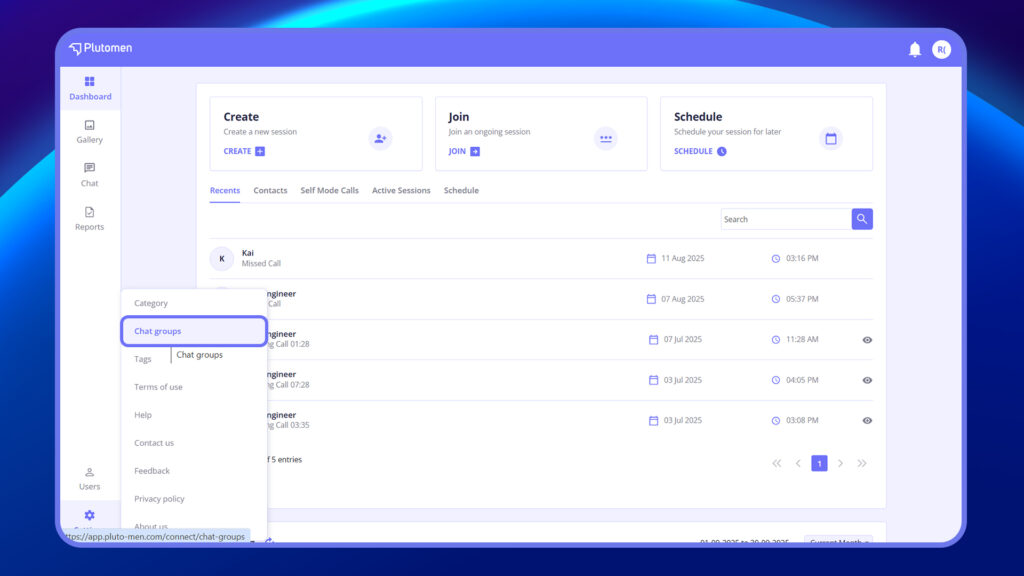
- Go to Settings from the side menu.
- Click on “Chat Groups”.
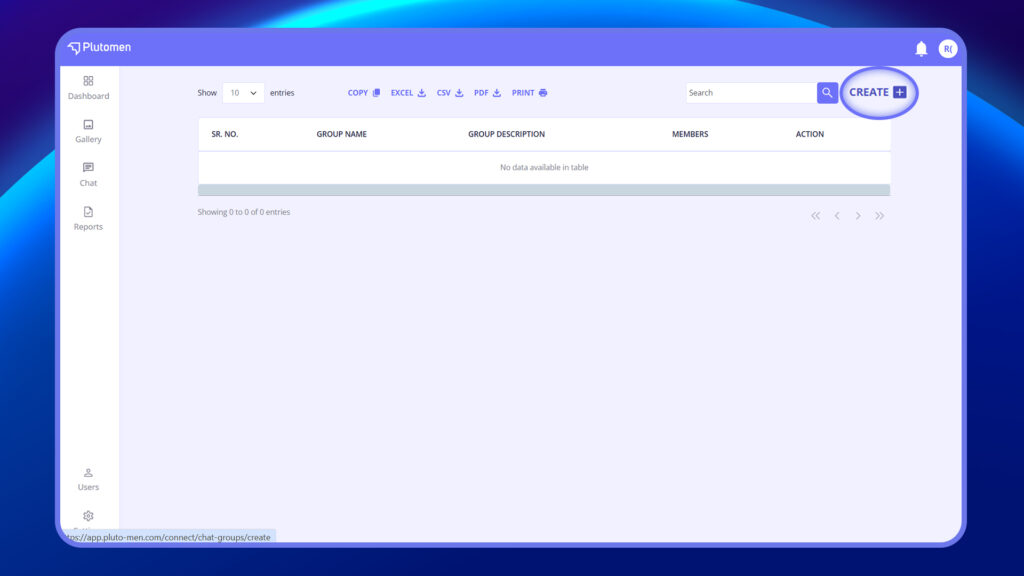
3. Click “Create Group”.
4. Enter Group Name and Description.
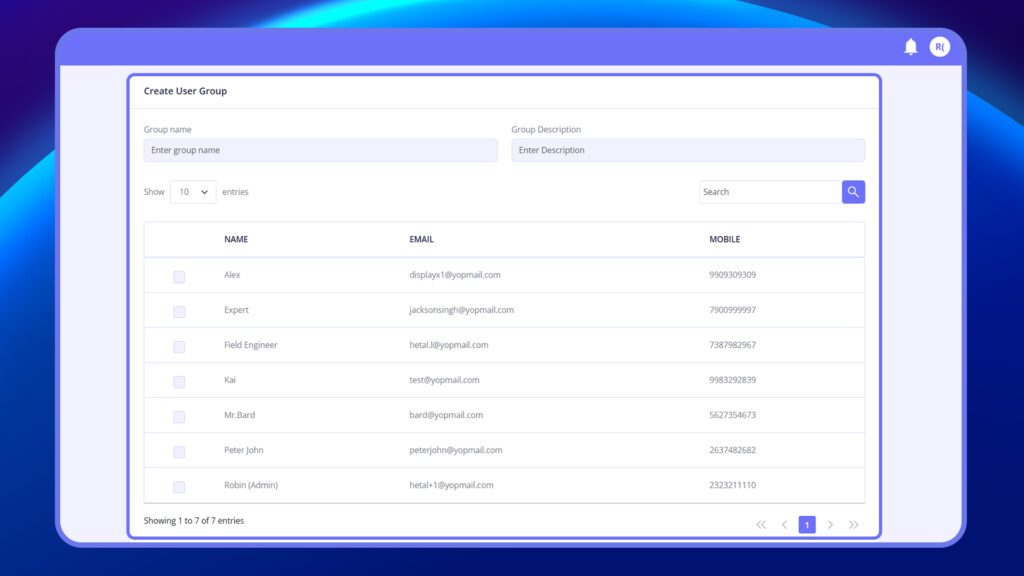
5. Select users to add to the group.
6. Click “Save”.
Step to Edit chat group
- Go to Settings from the side menu.
- Click “Chat Groups”.
- Click the 3 dots next to the group you want to edit.
- Select “Edit”.
- Update the Group Name, Description, or Members.
- Click “Save”.
Step to Delete chat group
- Go to Settings > Chat Groups.
- Click the 3 dots next to the group.
- Select “Delete”.
- Confirm to permanently remove the group.


