Site Managers can update or remove user records anytime.
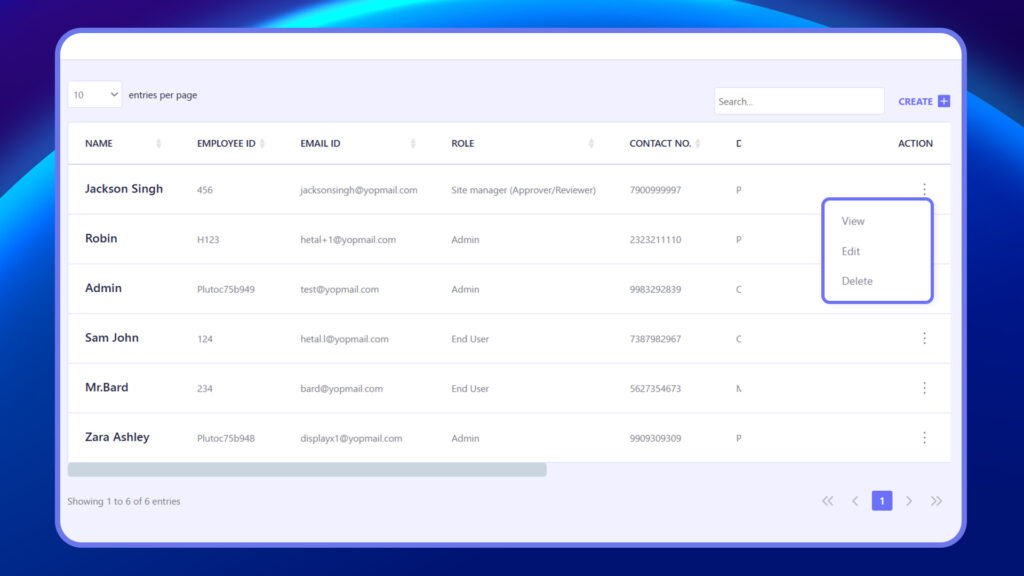
- In the Users list, locate the user.
- Click the three dots (⋮) under the Action column.
- Choose one of the following:
- View – See user profile and role
- Edit – Update user details
- Delete – Permanently remove the user
Deleting a user will revoke their access permanently.