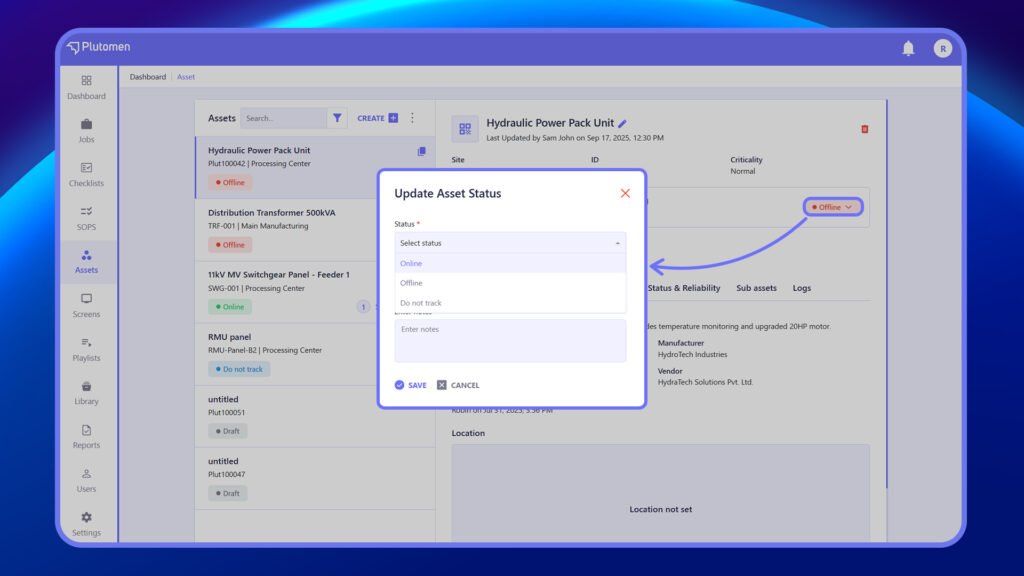
When updating an asset, users can choose from the following status options in the dropdown
| Status | Meaning |
|---|---|
| Online | The asset is active and currently being tracked. |
| Offline | Asset is inactive or temporarily unavailable |
| Do not track | Asset is not monitored in the system |
Note: This status can be updated via the Update Asset Status pop-up, where users can also add additional notes for context.