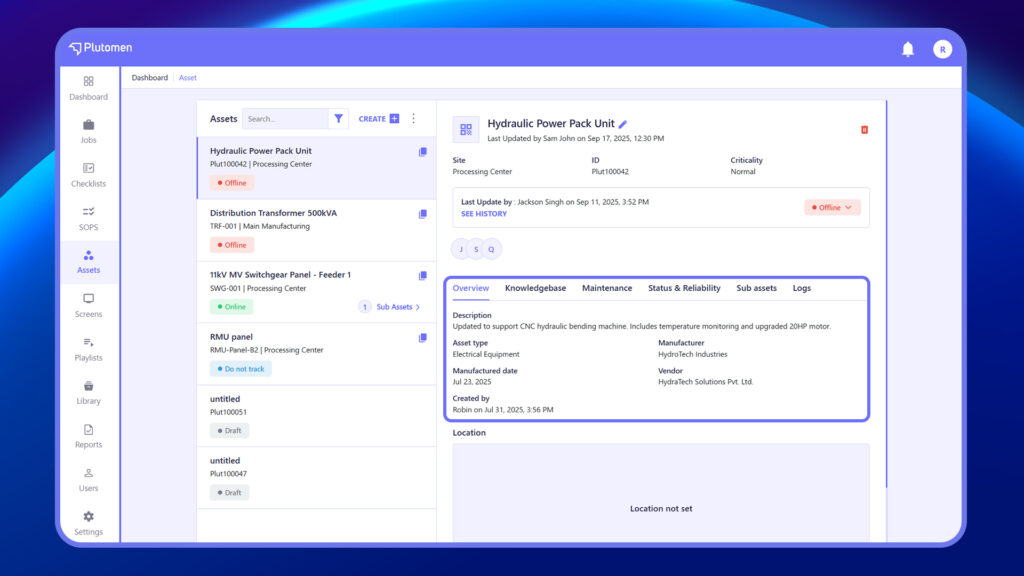
Click on any asset from the list to view its full details. The right-hand panel will show all relevant asset information.
Asset Overview Tabs: #
- Overview – Displays general info like description, site, and vendor
- Knowledge Base – Links related documents like SOPs and manuals
- Maintenance – Tracks maintenance history, upcoming schedules, and related tasks
- Status & Reliability – Shows condition, uptime, and performance metrics
- Sub Assets – Displays Sub assets (if any)
- Logs – Tracks all actions taken on the asset