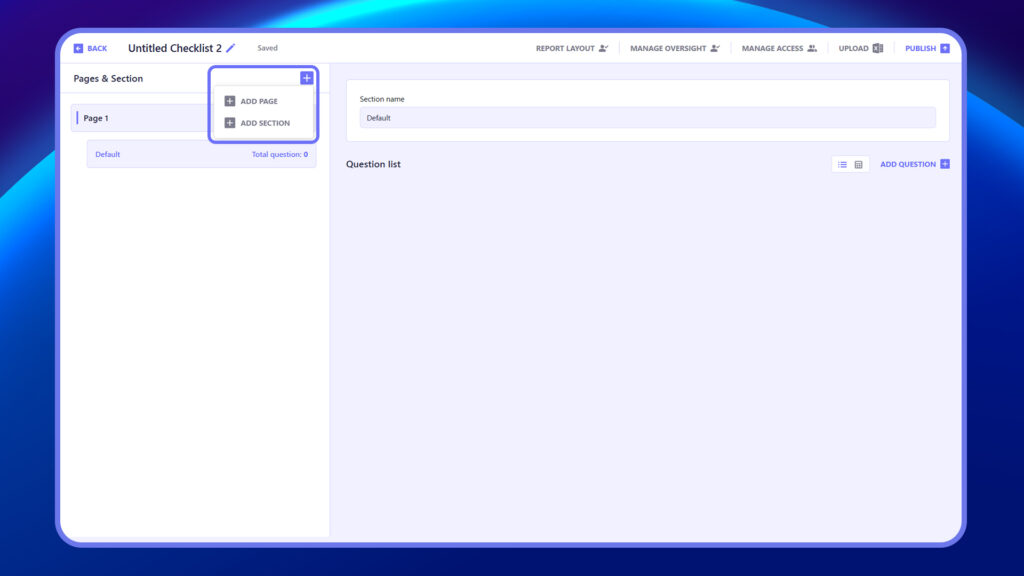
In the Pages & Section area of a checklist, you can structure your checklist into logical parts. Use Add Page to create multiple pages within a checklist, useful for breaking down long processes. Within each page, use Add Section to group related questions under specific headings. This makes the checklist easier to navigate and improves clarity for users completing it.
Steps to Add Page & Sections #
- Click + and Add Page to create a new page.
- Click + and Add Section within a page to group related questions.
- Repeat as needed to organize content clearly and logically.