Your workforce guards the operational process. It’s hard to train them with new procedures as it often slows down productivity. Every team member needs to acquire the right skills and perform the correct actions. It becomes even worse when you have a newly hired team with varying knowledge levels, language barriers, and time constraints. New colleagues are valuable additions, but integrating them into your workflow poses challenges. They need extra attention and efficient training.
Interactive work instructions have become the way forward for organizations to train new hires with operational procedures that are complex and visual in nature. Unlike traditional printed work instructions, which were lengthy, complex, and hard to produce, interactive work instructions offer a streamlined, user-friendly alternative.
In this article, we will learn everything about interactive work instructions, their working, benefits, processes, and more. Let’s get started!
What are Interactive Work Instructions?
Interactive work instructions are three-dimensional (3D) visual-aided instructions that explain even the complex repair and assembly operations of equipment and machines using animations. These 3D work instructions can be easily defined on various standard operating procedures (SOPs) to facilitate training for frontline workers. These instructions often include multimedia elements such as images, videos, and animations to enhance understanding and engagement.
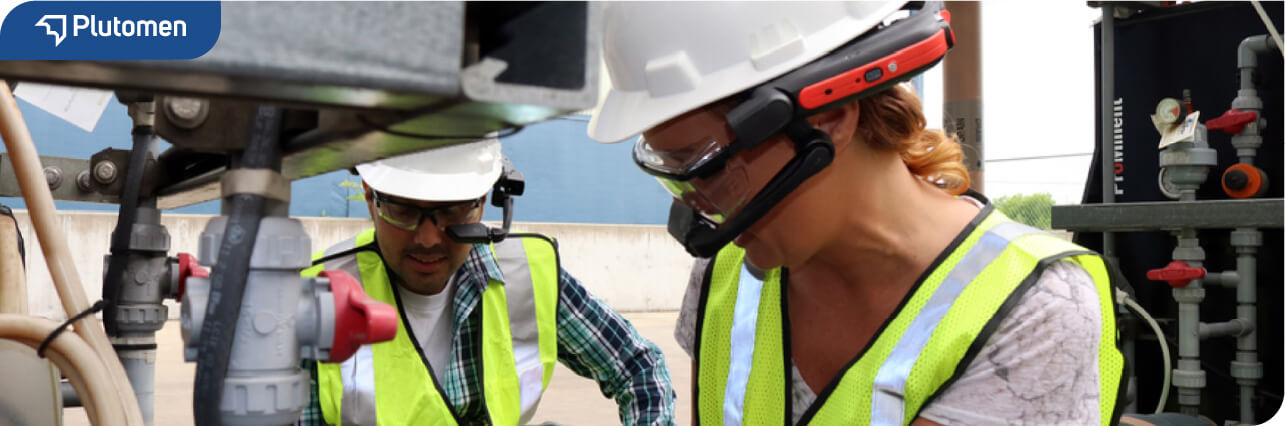
Interactive or animated work instructions can be easily accessed on digital devices like smart glasses, mobile devices, or tablets which helps technicians quickly reference them during tasks. This approach not only improves accuracy and consistency but also facilitates real-time updates and feedback.
Hence, it ensures that you always access the latest documents for the procedures. Businesses can significantly improve frontline training, operational efficiency, and overall productivity using digital work instructions.
The Benefits of Using Interactive Work Instructions
LinkedIn suggests that the period of 2024-2032 will be the most significant for the digital work instruction software industry. The industry is bound to grow at a 40% rate, with more and more businesses adopting interactive work instructions for their workflows.
Frontline workers often assemble complex machinery. That’s why, they use animated and interactive assembly work instructions. The 3D models in instructions can be easily visualized to see even intricate parts in detail. On the other hand, Animations defined in the instructions guide each assembly step. Interactive elements allow zooming and rotating parts of equipment’s, making it easier to understand the steps involved in assembly process. Workers easily understand procedures. This decreases mistakes and increases productivity. With the help of these visual work instructions, workers can easily understand procedures, leading to fewer mistakes and increased productivity.
For example, imagine you are a technician installing intricate HVAC systems. Your company has implemented interactive work instruction software. This software guides you step-by-step through the installation process and collects critical performance data. Additionally, it alerts you to any updates or important conditions you need to know during the installation.
Apart from what’s mentioned above, the following are some added benefits of interactive digitalwork instructions:
- Connected Workspace: Interactive visual instructions formulate a connected workspace for a business where employees can access instructions and SOPs from any location. This ensure operations carried out quickly and easily.
- Visual Clarity: Visual representations are always considered a better medium for sharing information than text, and rightly so. Text can be misinterpreted in so many different ways. Fortunately, with interactive work instructions, that’s not the case.
- Quick Access to Knowledge: Interactive work instructions provide employees instant access to the knowledge they need to perform tasks efficiently. Whether they are on the production floor, in the field, or working remotely, employees can easily access instructions from their mobile devices or tablets. Hence, it significantly reduces the cost of unplanned downtime for operations and increases worker’s productivity.
- Real-time Updates: Unlike traditional paper-based instructions, the changes and updates made in digital SOPs are reflected in real time. This ensures that employees always have access to the most current information. As a result, it reduces the risk of outdated instructions causing workflow errors or delays.
- Easy Knowledge Sharing: Sharing of knowledge and crucial information becomes simpler and more efficient using digital work instructions. As the work instructions in this approach are all digital based, they can be downloaded in PDF or Excel format and easily share with other team members.
Why Interactive Work Instructions Need 3D Models & Exploded Views?
Interactive digital work instructions and 3D models-based exploded views are essential for creating clear and intuitive digital manuals. There’s no need for hyper-realistic images or lengthy tutorials. Simplified 3D designs are more effective for user understanding. Benefits of implementing 3D models in interactive work instructions include:
- Manufacturers can provide users with intuitive and detailed assembly manuals, with each step displayed accurately and linked to reality.
- Clearer understanding of how to assemble parts, simplifying the assembly process.
- Traditional text or static image-based instructions can be confusing. 3D visuals offer clearer and more detailed instructions.
- 3D representations show the assembly process from different angles and perspectives, making each step and the correct sequence easier to understand.
- 3D exploded views provide a comprehensive visual of each component, allowing precise identification of parts and their location in the final product.
- Interactive animations and effects can highlight specific parts, show precise movements, and simulate the end result.
- By combining 3D interactive assembly instructions and exploded views, manufacturers and designers enhance the user experience and reduce assembly errors, adding value to their products.
How Animated or Interactive Work Instructions Work?
Interactive 3D instructions do not refer to holographic images like those in the original Star Wars movie. Instead, they use advanced 3D visual technology to manipulate color, shading, lighting, and perspective. This creates detailed 3D representations of objects on 2D surfaces like computer displays or mobile device screens.
Users can interact with these 3D instructions through touchscreens. They can pinch, zoom, rotate, and maneuver around the 3D images. This helps them gain a comprehensive understanding of the object’s structure and operation.
The interactive environment is created by converting CAD images and specifications, along with text-based instructions, into a fully immersive virtual space. Animation can show how components fit together, and step-by-step narratives guide users through necessary steps.
These advanced instructions provide a multi-sensory experience. This improves understanding and learning experiences for frontline workers.
How to Create Interactive Work Instructions
Now that you are familiar with digital work instructions, their use, and their benefits, let us look down to see how the actual process for visual work instruction is carried out.
1. Specify the Work Instruction Goals
The first step is clearly defining your work instructions’ goals and objectives. Begin by identifying the specific tasks or processes that need documentation in your workflows. Then, also determine the outcome required and specify it on paper so you do not miss any particulars.
This step lays the foundation for creating effective and targeted instructions that meet your organization’s needs.
2. Decide Steps to Reach the Goal
Once you have an aim or defined SOP, the next step is to break down the overall goal into manageable steps or tasks. Determine the sequence in which these tasks need to be performed to achieve the desired outcome. This is an essential step as it helps ensure that the work instructions are structured logically and comprehensively for the users. Make sure you note down every step of the stage properly to guide users effectively.
3. Prepare Visual Designs
Once you have all the goals and steps required to fulfill that task, it is time to create visual representations of the task. You need to create visually engaging designs for the work instructions that incorporate images, diagrams, and other multimedia elements.
Visuals are a great way to enhance understanding and retention and make complex procedures easier to follow. Use clear and concise graphics to illustrate key steps and concepts, ensuring that users can easily grasp the information presented.
4. Optimize Text in Instructions
Text, along with visual aids, make it easier for the users to comprehend what is actually needed in the process. Therefore, write clear and concise instructions for your SOPs accompanying the visuals. Use simple language and avoid jargon or technical terms that may confuse users.
The best way is to break down complex concepts into smaller, digestible chunks of information. You may also use bullet points or numbered lists to organize steps sequentially. This ensures that users can quickly scan the instructions and understand the task at hand.
5. Ensure Instructions Accessibility
Lastly, make sure that the work instructions are easily accessible to all users who need them. Consider the format and delivery method that best suits your organization’s needs. Whether it’s through a web-based platform or a mobile app, ensure your instructions can be easily accessed by the users.
Provide clear instructions on accessing and navigating the instructions and ensure they are available in multiple languages for higher accessibility. Accessibility ensures that all users, regardless of location or device, can access the information they need to perform their tasks effectively.
Easily Create Interactive Work Instructions With Plutomen Assist
Plutomen Assist is the best interactive 3D work instructions software, which enables industrial enterprises to create real-time augmented training experiences for their frontline workforce. The solution enables you to simplify and visualize even the most intricate and complex operational procedures using 3D animations, step-by-step explanation along with multimedia file attachments.
Whether you’re setting up complex machinery or performing regular maintenance & repair, Plutomen Assist simplifies the entire process, enhancing both productivity and accuracy. Workers can scan the QR codes of machines, and get interactive work instructions easily. These work instructions act as training materials for learning complex functioning of equipment’s & machinery’s. The below video further illustrates how to create interactive work instructions using Plutomen Assist.
Some of the key features of Plutomen Assist include:
- 3D visualization of machines and equipment.
- Decimation of 3D files into different qualities.
- Drag and drop functionality for easy training material creation.
- Real-time editing in work instructions.
- Scanning QR codes to make training guides available.
- Accessibility with multiple digital devices.
- Training based on AR/VR tools.
- Integration with the smart glass.
Plutomen Assist ensures that your team has the guidance they need to perform tasks accurately and efficiently, reducing errors and improving overall productivity.
Create Interactive 3D Work Instructions with Plutomen Assist
Take the first step towards transforming your training and simplifying your operational procedures.
Request DemoFrequently Asked Questions

Ravi Patel
Chief Design Officer (CDO) at PlutomenWith 12+ years’ experience in enterprises, Ravi holds expertise in designing user-friendly and experience-enhancing interactive environments based on emerging technologies. He is designated as Chief Design Officer at Plutomen.