Imagine going on a long drive in the hills, and your car suddenly breaks down. You look around but don’t find any automobile repair shop nearby. So, you call your mechanic to describe what happened, and the mechanic can be a remote expert. The mechanic then gets connected through visual remote assistance technology and starts inspecting the inside of your car by wearing AR glasses, figuring out the problem is in some engine part. As an automobile expert, the mechanic further guides you on tentatively repairing it so you can reach a nearby shop to get it fixed completely.
From manufacturing to real estate, front-line industrial assistance has become super effective through AR Remote technical integration.
Enterprises like Microsoft, Amazon, Google, and Facebook utilize AR-assisted training. Let’s delve into what a remote expert is, the integrated technologies driving this shift, and how it can be implemented in industrial operations across various industries.
Remote Expert Evolution Began as Remote Assistance
Remote assistance has always been a part of our lives. But Augmented Reality combined with Remote assistance is groundbreaking. It helps us enter a new era of improved productivity and efficiency. Created in the 1990s, Industrial Augmented Reality is a heads-up area where technology and business have beautifully combined to create revolutionary solutions.
Communicating with workers using poor video calls for remote assistance became a norm, but the problem of poor-quality video calls became a challenge. What about – pinpointing the complex mechanism & equipment problems to the expert? Not every detail could be examined and solved, and thus came the evolution of AR-powered remote assistance, where workers can easily highlight the problems with AR dictum and resolve issues much faster.
Well, congratulations now. You are in the fascinating world of augmented reality and need industrial assistance.
Top Augmented Reality Remote Assistance Use Cases!
Explore real-world applications of AR Remote Assistance in diverse industries. Gain insights from our comprehensive eBook!
Download EbookWhat is Remote Expert?
A remote expert refers to a professional who provides specialized guidance or support remotely, often via technology like video conferencing or chat platforms. This expert can assist with troubleshooting, consultation, training, or advice, leveraging their expertise without being physically present.
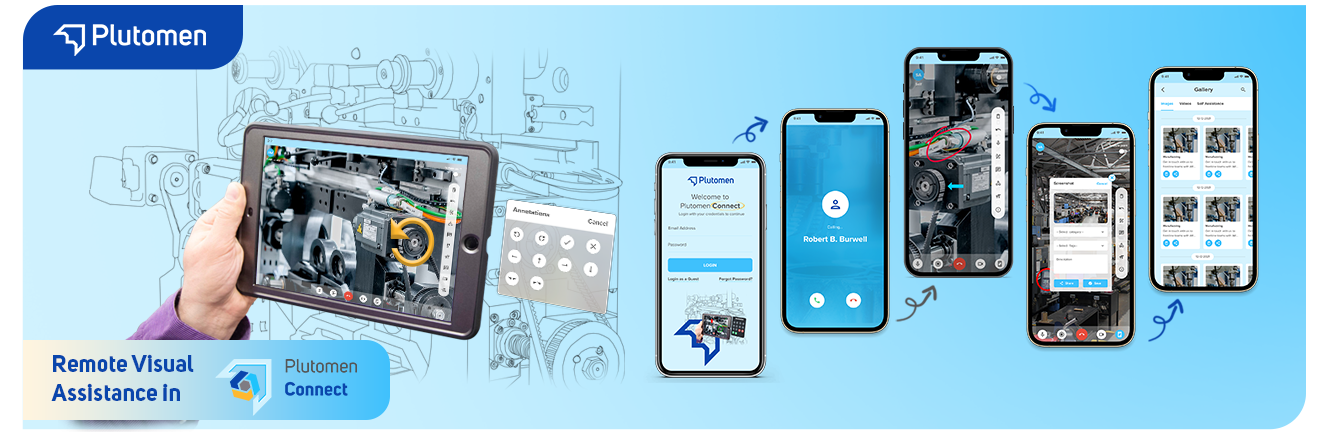
Remote Expert solutions are essential industrial collaboration tools. They enable workers to connect virtually with subject matter experts for guidance and assistance. These software tools integrate chat with live video, audio, file sharing, and augmented reality (AR) annotations, facilitating more effective remote collaboration.As manufacturing and other industrial settings adopt increasingly distributed workforces, Remote Expert solutions play a crucial role in enabling team collaboration to troubleshoot and resolve issues.Unlike the traditional calls or video call system, the Remote expert technology system goes beyond. It is the power-packed solution of high-end Augmented Technology and Remote assistance.
Through remote expert technology, the expert can talk to the worker and lay out complex graphics in a superimposed visual format. It is detailed, graphics-rich, and all things visual from Point A to Point.
Not only does a video call have basic features, but with AR-powered expert technology, you can quickly pinpoint, draw, and change; in short, you can simplify the explanation. You can also quickly show the surroundings, highlight the problems, and avoid those fuzzy camera angles. All in all, it is beyond your regular video call and can work wonders for your business.
What constitutes a Remote Expert?
In today’s interconnected world, remote collaboration is at its peak. Individuals with specialized knowledge and skills can connect remotely and become valuable to companies, with reduced costs, real in-hand advantages, increased convenience, and access to a broader range of expertise and services.
Remote experts play a vital role in the modern workforce. They will help you maintain your business needs and achieve your goals in a rapidly changing global landscape. Moreover, you can leverage their skills to drive innovation and achieve goals in a rapid, proactive global landscape.
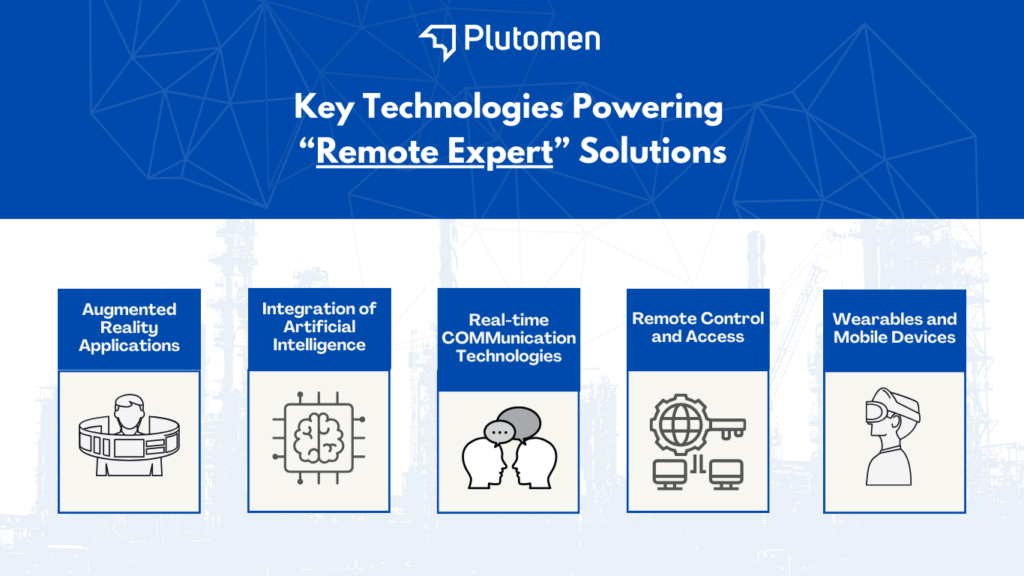
Key Technologies Powering Remote Expert Solutions
After the COVID outbreak, remote collaboration has become the norm. These software solutions enable organizations to access the knowledge and expertise of specialists and experts from anywhere, revolutionizing how businesses operate.
Several key technologies are at the core of these remote expert solutions, working in tandem to provide a seamless and practical experience.
- Augmented Reality (AR) and Virtual Reality (VR): AR and VR technologies allow experts to provide real-time visual assistance to remote users. Using AR, experts can overlay digital information and instructions onto the user’s real-world view, guiding them through complex tasks or procedures. Conversely, VR creates a fully immersive virtual environment where experts can interact with users and provide training or guidance in a simulated setting.
- Artificial Intelligence (AI): AI plays a crucial role in remote expert solutions by automating various tasks and providing intelligent assistance. Natural Language Processing (NLP) enables AI-powered chatbots to understand and respond to user queries naturally and conversationally. Machine learning algorithms analyze user data to provide personalized recommendations and identify areas where expert assistance is needed. You can also read some use cases for industrial enterprises. AI also powers image and object recognition, allowing experts to remotely identify and diagnose problems based on visual information captured by the user’s device.
- Remote Control and Access: Remote control and access technologies are employed for tasks that require direct control or access to the user’s device. Remote desktop software enables experts to control the user’s computer remotely, allowing them to troubleshoot issues, install software, or perform other tasks as if they were physically present. Similarly, remote access technologies allow experts to securely access and control industrial machinery and equipment remotely.
- Real-time communication technologies: Remote expert technology relies heavily on real-time communication tools to bridge the physical gap between frontline workers and distant experts. This happens through features like:
- Low-latency video calls: Enable smooth, real-time video communication for visual guidance and troubleshooting.
- Interactive whiteboards: Experts can share diagrams, schematics, or annotations directly on a virtual workspace for evident explanations.
- Live annotations: Experts can highlight specific components or areas on the worker’s screen or AR display for precise instructions.
- Two-way audio: Ensures clear communication and allows for real-time questions and clarifications during the assistance session.
- File sharing: Enables quick exchange of relevant documents, manuals, or images for reference during troubleshooting.
These real-time communication features create a collaborative environment, empowering frontline workers and remote experts to work together seamlessly despite physical distance.
- Wearables and Mobile Devices:
One of the critical highlights of Remote software technology is the integration of wearable and mobile devices. It helps in quick and super-easy communication, enabling the process to run twice as fast. When the entire team of remote experts and workers is in sync through wearables like wristbands and mobile devices, the whole company’s mechanism will improve, and the scope for growth will increase. Reduce downtime and increase efficiency; these powerful technologies ultimately empower your business.
These key technologies create a robust and comprehensive remote expert solution that empowers organizations to overcome geographical barriers, optimize operations, and deliver exceptional customer service. You can also opt for Remote visual support as a service, tap into a global pool of experts, reduce the on-site cost of traveling, and enhance customer satisfaction.
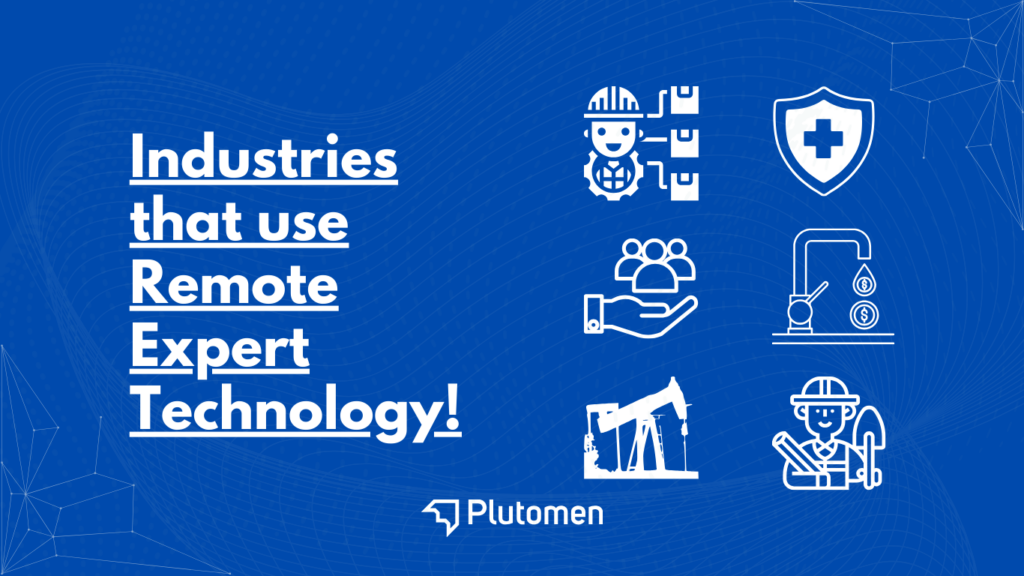
Industries that use Remote Expert Technology!
Manufacturing:
- Imagine a scenario where a frontline worker on the assembly line encounters a problem with a new component. They can use AR glasses or a wearable device to connect with a remote expert who can see exactly what the worker sees through a live video feed. The remote expert can then guide the worker through troubleshooting steps by highlighting specific components on the worker’s AR display. This can involve highlighting specific parts for inspection, visualizing assembly procedures, or providing real-time instructions to resolve the issue.
Benefits: Reduced downtime, improved first-time fix rates, faster onboarding of new employees, and consistent quality across locations.
Field Service:
- A field service technician can utilize AR glasses to see a live video feed of the equipment they’re servicing at a customer’s location. Simultaneously, a remote expert can join the session and overlay instructions or schematics directly onto the technician’s AR display. This can involve pinpointing specific components for repair, visualizing wiring diagrams, or highlighting safety protocols.
Benefits: Higher first-call resolution rates, increased customer satisfaction, reduced need for repeat visits, and improved efficiency and profitability.
Oil & Gas (Reference to Industrial AR concepts from:
- Similar to the manufacturing example, AR can be used for remote inspections of offshore rigs or complex equipment. A remote expert can guide on-site personnel through safety protocols, highlight potential issues for further investigation, or provide real-time feedback during maintenance procedures.
Benefits: Improved safety for on-site personnel, reduced travel costs, access to specialized expertise, faster response times, and minimized production delays.
Healthcare:
- AR can facilitate remote consultations between surgeons and on-site medical professionals during complex procedures. The surgeon can utilize AR overlays to highlight specific anatomical structures or guide intricate surgical steps directly into the view of the on-site medical professional.
Benefits: Improved access to specialized healthcare services, enhanced quality of care for patients in remote locations, improved patient outcomes through real-time guidance during critical procedures.
Utilities:
- AR can assist field crews with complex power grids or remote infrastructure repairs. Remote experts can guide crews through maintenance procedures by highlighting specific components on AR displays or visualizing complex systems.
Benefits: Minimized risk for personnel working in hazardous environments, improved response times to outages, speed up critical service restoration, and improved preventive maintenance procedures, leading to better equipment lifespan and system reliability.
Choosing the Right Remote Expert Solution
Selecting the ideal remote expert solution requires careful consideration of features, self-assessment, and integration capabilities.
Features:
- Functionality: Look for features crucial for your industry. Does it support video calls, screen sharing, and AR overlays (if applicable)?
- Security: Ensure the solution offers robust security measures to protect sensitive data shared during remote sessions.
- Scalability: Choose a solution that can adapt to your company’s growth and future needs.
- Ease of Use: Prioritize a user-friendly interface for frontline workers and remote experts to ensure smooth adoption.
Questions to Ask:
- What technical expertise do our frontline workers have?
- What types of remote assistance will be most common? (e.g., troubleshooting, training, inspections)
- What level of data security is required?
Integration:
- Compatibility: Ensure the solution integrates seamlessly with your existing communication platforms and software.
- Deployment: Consider deployment options (cloud-based, on-premise) that align with your IT infrastructure and security protocols.
By carefully evaluating these factors, you can gain better insights into choosing a remote expert solution that suits your operations objectives and empowers your frontline workers to execute those operations efficiently at reduced errors.
Overcoming challenges and best practices
While remote expert technology offers numerous benefits, implementing it effectively requires addressing potential challenges and following best practices. Here’s how to ensure a smooth and successful experience:
Challenges:
- Network Connectivity: Unreliable internet connections at remote locations can disrupt communication and hinder real-time collaboration.
- User Adoption: Encouraging frontline workers to embrace new technology requires training and addressing initial hesitations or comfort levels.
- Security Concerns: Securing sensitive data shared during remote sessions is paramount
Best Practices:
- Network Assessment: Evaluate network infrastructure at potential deployment locations and consider solutions for areas with limited connectivity.
- Comprehensive Training: Train frontline workers and remote experts on using the chosen technology and maximizing its efficiency.
- Data Security Measures: Implement robust security protocols like user authentication, data encryption, and access controls to protect sensitive information.
- Clear Communication: Establish clear communication guidelines for initiating remote assistance sessions, escalation procedures for complex issues, and data security protocols.
- Continuous Improvement: Gather feedback from frontline workers and remote experts, identify areas for improvement, and refine your approach to maximize the technology’s potential.
By proactively addressing these challenges and adhering to best practices, you can start with remote visual assistance and effectively leverage remote expert technology to empower your workforce, improve efficiency, and achieve your business goals.
Key takeaway!
This step-by-step guide has explained how to integrate “remote expert” technology into industrial operations. Whether you work in manufacturing, healthcare, civil, electrical, oil, gas, or defense operations, integration of this technology will transform the efficiency of your industrial workforce, which can be experienced in the improved productivity & accuracy of task completion after implementing AR-induced remote assistance.
Are you looking to implement “REMOTE EXPERT” or “VISUAL REMOTE ASSISTANCE” technology?
Ready to streamline the expert assistance for your frontline workers?
Request a DEMO of Plutomen Connect now to leverage ar-enable assistance for your frontline workers and see the transformation it brings to your daily operations efficiency, reduced cost, better productivity, and streamlined delivery with better accuracy in completing complex technical/non-technical tasks faster.
Frequently Asked Questions
Keyur B
CEO, Founder of PlutomenWith more than 12+ years of experience in the world of enterprises, technology, and metaverse, Keyur Bhalavat is leading Plutomen to gain meaningful partnerships & to have a strong clientele network. He is one of the board members of GESIA (Gujarat IT Association Ahmedabad).