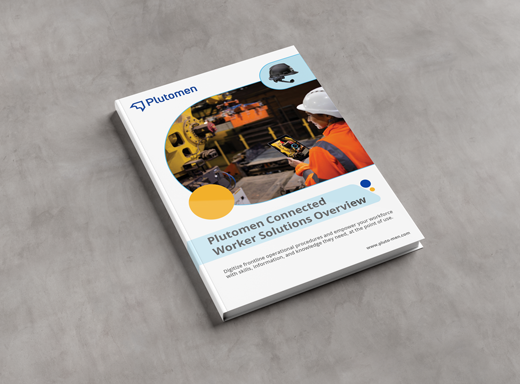
Operations1 is a leading Connected Worker Platform that empowers industrial enterprises, helps to standardize operational procedures, and spread knowledge across various departments. With Operations1, businesses can streamline their workflows, reduce errors, and enhance worker’s productivity through standardized work instructions.
With so many options available, choosing the right Operations1 alternative can be difficult. As of now, there are approximately 88 alternatives to Operations1 listed on G2.com.
So, to help you out in this blog, we’ll show you all the other options out there. We have covered the top 10 Operations1 alternatives that can provide an objective comparison to help you make an informed decision.
Why Should You Explore Operations1 Alternative?
There are compelling reasons why you may want to consider alternatives to Operations1. Here are a few Operations1 limitations.
- Cost: Operations1 pricing plans can be quite expensive, especially for SMEs. The free plan is limited and starts at 19 € per user/month. There are alternatives that may provide more transparent subscription plans or clearer pricing structures.
“optional features cost extra money and that is not satisfactory” – Jürgen
- Usability Issues: Some Operations1 users reported issues while attempting to use the system’s sorting functions and multilingual features. These factors affected the user experience and workflow efficiency.
“Some sorting and multi-language features were difficult to use” – Lukas M
- Limited Features: There are chances that Operations1 lacks certain features. By exploring alternatives to Operations1, you may find solutions with features that optimize your procedures, enhancing productivity.
- Lack of Differentiation Between User Roles: Another major drawback of Operations1 is that it is difficult to differentiate between distinct user roles, such as editors and viewers. This issue can have a significant impact on an organization’s efficiency, security, and workflow management.
- Complexity in Setup and Configuration: Next is its complex setup and configuration process, making it challenging for users. Unclear instructions and tricky processes often lead to confusion and delays.
“The setup seemst to sometimes tricky of what you need and how you get it done in the SW.” Markus H.
How to Find the Best Operations1 Alternative for Your Industry?
Before you jump straight into exploring alternatives to Operations1, take a step back and look for your specific needs. To help you make a choice, below are 6 crucial questions you should consider while choosing a connected worker platform.
What are your operational goals?
The most essential thing to address before choosing a connected worker platform is to know what your operational goals are. Are you looking for a solution to streamline your maintenance procedures? Do you want to manage your assets or tasks for your frontline workforce? So first identify your main goal to help you choose software with features that directly address your problem areas.
Does the software allow for creating clear and effective work instructions?
Clear and best work instructions are essential for industrial enterprises to achieve positive outcomes. Make sure you look for a solution that lets you create step-by-step instructions that can be embedded with images, videos, and documents. This explains each step of a work procedure clearly and allows workers to perform their tasks effectively. So, if you are genuinely looking to improve your operations, look for software that lets you create SMART work instructions.
Can the software integrate with your existing tools?
Choose a solution that allows you to connect with your devices and systems to provide better guidance to your operators. Make sure that it can be integrated with your existing CMMS, MES & ERP systems. This ensures a smooth flow of information and reduces the risk of errors.
Does the solution allow to collect actionable data?
As you evaluate different solutions, always choose software that allows you to capture relevant data about your operations, including work order completion times, equipment downtime, or asset management. Look for features that offer informative reports & analytics to help you find areas for improvement and optimize your operations.
Is the software mobile-friendly?
Choose a solution that allows technicians, frontline workers, or managers to access work instructions, update data, or complete tasks from any device be it a mobile, tablet, or smart glasses.
Does the software fit your budget?
Pricing is an integral part of a company’s strategy. Pricing can vary significantly based on factors such as the type of software, the target market, and the value provided by them. Determine your budget beforehand and shortlist options that offer a good balance of features and affordability.
By asking yourself these six questions, you’ll be able to obtain a better understanding of your particular requirements and choose an Operations1 alternative that fully corresponds with your industry’s specific objectives and helps you reach your operational goals.
Let’s dig further and see which are the best Operations1 alternatives that are worth considering in 2025.
Best Operations1 Alternatives in 2025
Plutomen
Pricing: Contact for pricing

Plutomen is an Augmented & Connected Worker Platform that digitizes frontline operational procedures and empowers workers with “on-the-job” digital expertise. It is one of the best Operations1 alternatives that enables industrial enterprises to go paperless, and conduct SOP-driven workflow like Audits, Maintenance & Inspections on the go. Frontline workers create, update, and distribute step-by-step checklists easily with Plutomen’s Connected Worker Platform.
Offering the best features, Plutomen’s connected worker platform is the ideal choice for Industrial enterprises. This solution caters to a wide range of industries like manufacturing, automotive, aerospace, healthcare, construction and oil & gas.
Key Features of Plutomen’s Connected Worker Platform
- Digital Work Instructions & SOPs: Create step-by-step instructions with images, videos, and documents for any task.
- On-Site Inspections: Facilitates conducting on-site inspections with digital checklists, which can be shared across the department.
- Reports & Analytics: After completing the instructions, users can download a comprehensive report with a single click.
- AR-Remote Assistance: Streamline collaboration and communication with Augmented Reality based remote assistance.
- Issue Resolution: Equip workers with troubleshooting guides to solve problems effectively.
- Maintenance Schedule: Seamlessly schedule maintenance operations and assign them to your workers.
- Asset Management: Track and manage assets along with step-by-step work instructions, maintenance checklists & SOPs.
- Knowledge Management: Capture, document, and store your expert knowledge, before they retire or leave your organization.
- Digital Training: Create 3D interactive training instructions to train your frontline workers.
- Smart Glasses Integration: Enable hands-free access to instructions through smart glasses.
- Seamless Integrations: Integrate with existing CMMS, MES, and ERP systems for a better workflow.
Now that you’ve seen the features of Plutomen, let’s explore how it simplifies managing all your frontline tasks and operations.
Easily Manage all Frontline Tasks and Procedures
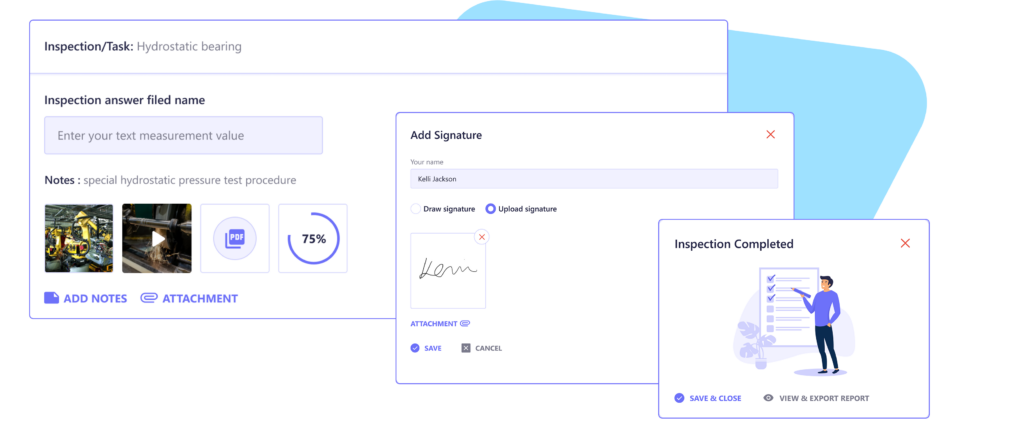
With Plutomen’s connected worker platform create clear and concise step-by-step work instructions including images, videos, and even documents for every task.
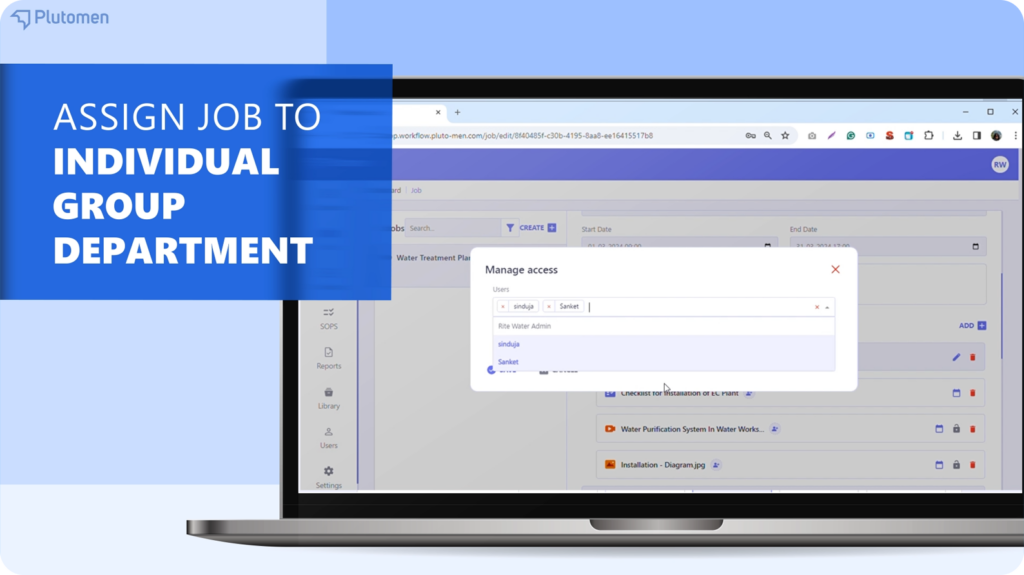
You can even assign specific tasks to individual workers or departments
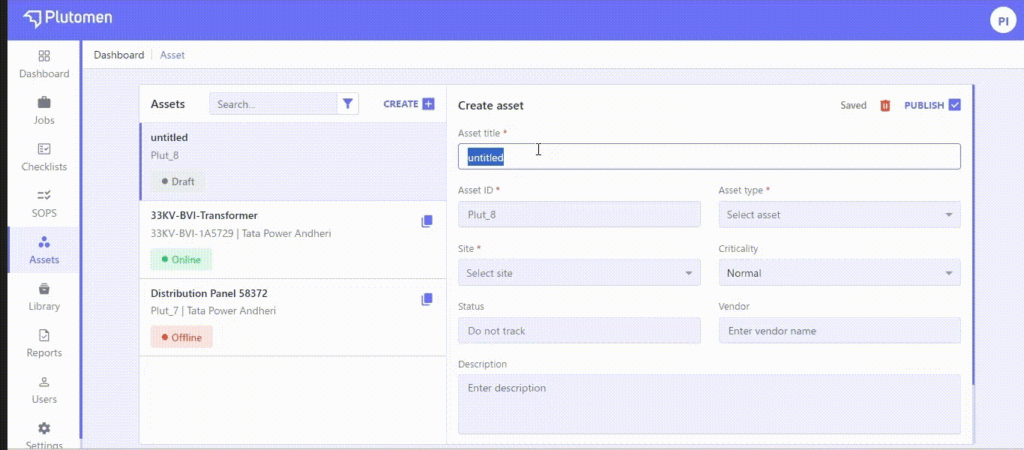
Seamlessly Manage Your Industrial Assets
With Plutomen’s connected worker platform, you can even create a centralized knowledge repository for all your asset data, including equipment details, maintenance schedules, and work instructions. View upcoming asset-specific tasks to plan, allowing for proactive maintenance and reducing downtime.
Operations1 vs. Plutomen: A Feature Face-Off
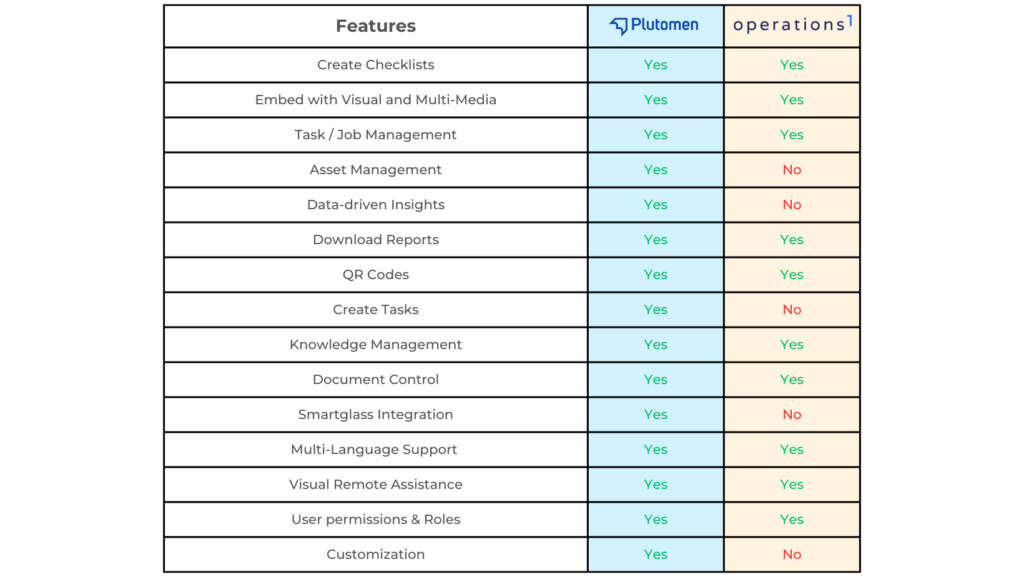
What Do Plutomen’s Connected Worker Users Say?
We wanted our inspection process to be digitized with ready-made checklists and instructions. Plutomen Workflow was the solution we never knew we needed. It greatly helped us streamlining our maintenance operations throughout our service areas.
– Manager at a Top Oil and Gas Producer
Dozuki
Pricing: Contact for pricing
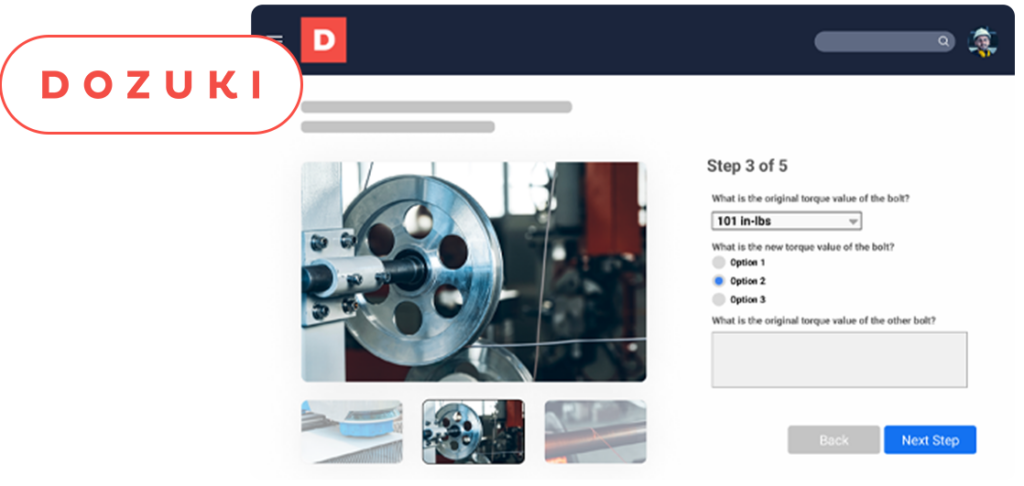
Dozuki is the leading standard work instruction and training software for industrial and manufacturing companies. Whether you’re creating procedures, cross-training employees, or focusing on continuous improvement — Dozuki has features designed to give you the controlled, accessible documentation you’ve been looking for.
Key Features
- Document Control: Specify which users should review and approve or reject new versions.
- Approval Workflows: Control which users approve process changes
- Integrations: Easily connect Dozuki to your LMS, QMS, ERP, or any other systems where you need visibility into critical operations data.
- Offline Accessibility: Get quick and easy access to processes from anywhere.
- Scheduled Releases: Schedule future updates to allow users to train on new processes before they go into production.
- Multilingual Support: Get processes in over 100 languages instantly.
After reviewing several authentic reviews and ratings of Dozuki on G2 and Capterra, we have grouped these users’ opinions based on their experience. This is to help you make an informed decision about what is best for you.
Pros
- Easy to integrate into existing processes.
- Easy to navigate with consistently presented content.
- Efficiently handles Quality Management System requirements, adaptable approval processes, and retains all document revisions for easy viewing.
- Allows authors to add images and videos, reducing written instructions for complex processes.
What is most helpful with using Dozuki, is the ability to add tags to guides and search based on those tags.
Cons
- No notifications when videos are updated, causing issues with missing links.
- Slower response times compared to the past.
- Not suitable for businesses with many infrequent users.
- Advanced features for tracking training and device history are less intuitive.
Not being able to completely delete categories and instead, they just sit on the content manager page.
Poka.io
Pricing: Contact for pricing
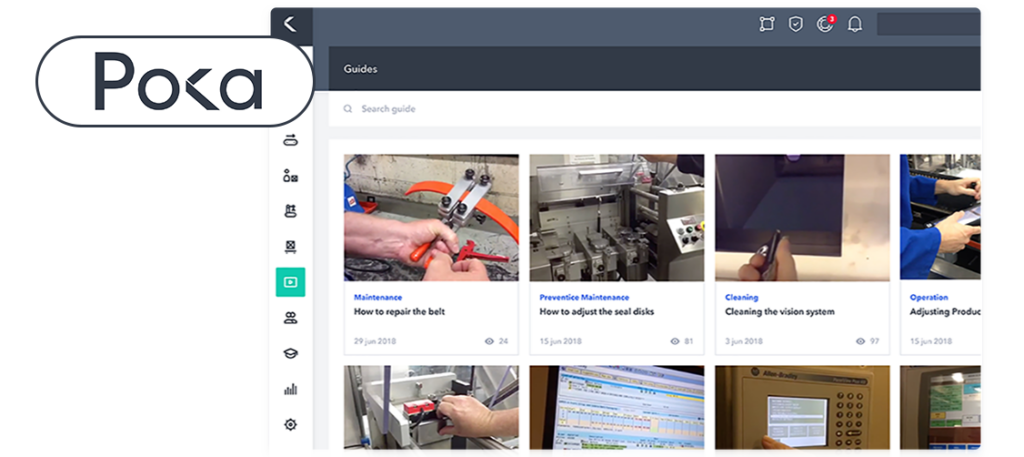
Poka is a connected worker platform built specifically for manufacturers. It empowers frontline workers to learn, troubleshoot issues, and share knowledge in real-time, on the factory floor. Their platform is specially designed to connect workers to digital manufacturing operations and drive a culture of continuous improvement. The software manages all work instructions, digitizes procedures, and ensures consistent product quality.
Key Features
- Cloud services
- Production Tracking
- Multiplatform software found on desktop and mobile apps
- Version Control & Audit Logs
- Knowledge base management
- Platform is available in 21 different languages.
- Integrations with API
- Role-based Access Control
Pros
- Customer needs are well understood and considered in product development.
- Enables easy communication with the shop floor and simplifies document and skills management.
- Provides useful training tools, including a team matrix for tracking team members’ training levels.
- Makes machine learning user-friendly and enjoyable.
The thing I like most about Poka is that it will allow my company to grow in this technological era. It ensures that our knowledge of our product multiplies.
Cons
- Some design features, like the notification icon, could be improved.
- Searching for work procedures initially can be challenging.
- Obtaining reports or data from Poka is not easy.
- Cannot tag team members for review prior to submission.
Need more languages. Would like to see a notes option as well.
Tulip
Pricing: Tulip offers different packages to meet various needs. The starting package is ideal for basic production visibility, quality, and assembly workflows, priced at $1200 per interface per year.
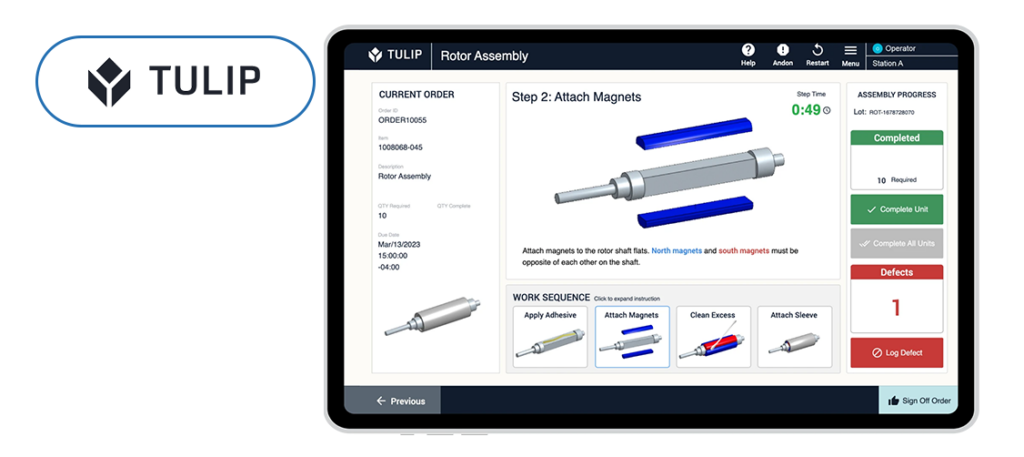
Tulip is a software solution that assists manufacturing companies in optimizing their frontline operations. It offers valuable insights into quality, process cycle times, and other relevant metrics. Even with Tulip, manufacturers can create step-by-step work instructions. It also enables users to monitor performance and make necessary changes as needed in real-time.
Tulip’s digital work instructions software offers a massive range of features compared to its competitors. Let’s see some of them:
Key Features
- Rich media instructions: Tulip allows you to create work instructions that incorporate PDF, images, and even videos.
- No-Code App Editor: Create user-friendly and functional apps that improve the productivity of your operations, without writing any code.
- You can even support 3D models to provide clear and comprehensive steps for each task.
- Integrations: Digital work instructions can be integrated with Microsoft Office Suite/Sharepoint.
- Gain real-time visibility: Track frontline operations and cycle time to optimize production.
- Connectivity: You can connect to various smart devices on the shop floor.
Pros
- Fast and responsive customer support and technical help.
- Provides easy-to-configure dashboards for real-time information capture.
- Enables quick solution development and deployment.
Cons
- Connection and latency issues.
- Content display issues
- Limited machine monitoring controls
- Reporting features need improvement
Augmentir
Pricing: Contact for pricing overview

Augmentir is an Industrial AI-based connected worker software that empowers frontline teams to perform at their best and enhance safety, quality, and productivity. It allows to create, update, and deliver work instructions to users through any mobile device or wearable technology to perform their tasks. In addition, digital work instruction software from Augmentir improves standardization and quality for inspection, setup, changeover, and maintenance operations.
Key Features
- Training & Skill Management: Digitize the entire Skills and Training lifecycle to efficiently manage skills for your rapidly changing workforce.
- Digital work instructions: Allows you to create, update, and deliver work instructions to users through any mobile device or wearable technology.
- Offline Mode: Support for running jobs in an offline/disconnected mode.
- AI-based Author Insights: Generate insights available for every process to offer chances for ongoing improvement and potential reasons and suggestions.
Pros
- Quick and effective responses from the team.
- Allows saving and viewing of previously published procedures.
- Highly versatile platform with top-notch functionalities.
Cons
- Images take longer to load, affecting workflow efficiency.
- Cannot work on procedures from mobile devices.
- The interface is not very user-friendly.
Azumuta
Pricing: Contact for pricing overview
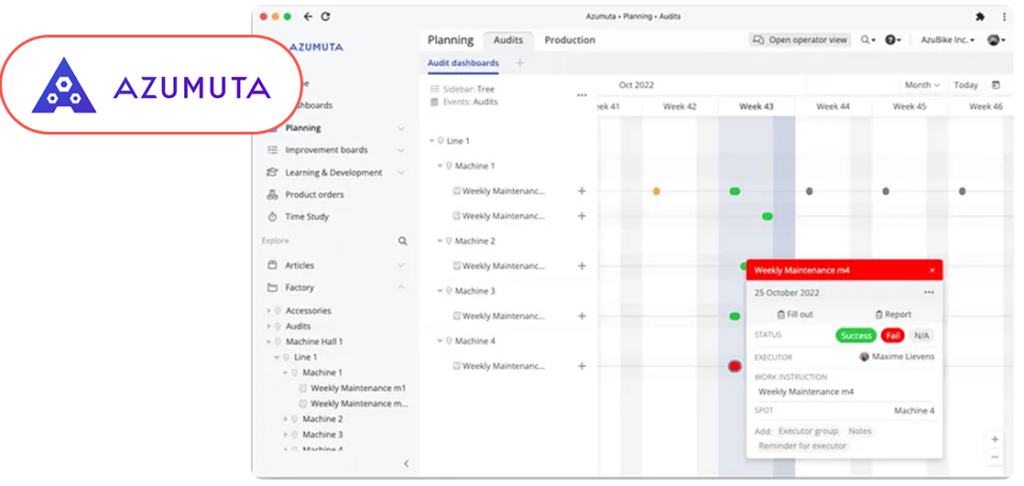
Azumuta is an AI-based manufacturing software that allows you to digitalize your shop floor operations. With Azumuta, industrial enterprises can create and manage digital work instructions, audits, employee training, quality management reports, and much more. It is the best choice for industries with complex manufacturing procedures looking for ways to digitize their work instructions.
Key Features
- Standardized Work Instructions
- Keep control of who can view and who can create processes and procedures
- Support different languages
- Scan QR codes to access instructions and procedures
- Connect from different devices like smartphones or tablets to access work instructions.
Pros
- Quick and Easy Work Instructions.
- Ease of Setup and Flexibility.
- Provides user-friendly experience with numerous API connections and integrations.
- Easy to use for both administrators and operators.
Cons
- Does not provide a comprehensive overview of product orders.
- Numerous possibilities can lead to unnecessary complexity.
- Some features are still under development.
MaintainX
Pricing: MaintainX has 4 pricing editions. The essential plan starts at $16.00 User/Month
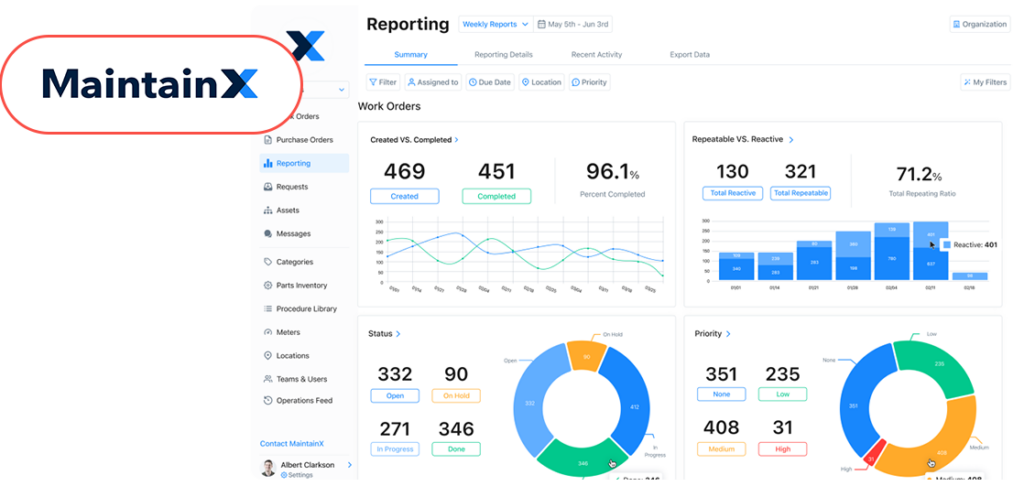
MaintainX is a leading connected worker platform, designed specially for industrial and frontline teams. Their main mission is to provide tools to the frontline workforce that streamline maintenance, maximize equipment uptime, and enhance operational excellence. It focuses on mobile accessibility, allowing technicians and managers to manage work orders and procedures. However, for organizations exploring MaintainX alternatives, it’s important to compare features like task management, asset tracking, and remote support to find the solution that best fits their unique operational needs.
Key Features
- Work Order Management
- Preventative Maintenance (PM)
- Predictive Maintenance (PdM)
- Materials Management
- Equipment Breakdown Reports
- Task Templates
- Reporting & Dashboards
Pros
- Seamlessly integrates with existing technology.
- Requests feature allows requesters to see progress and changes in real-time.
- Allows the creation of customized workflows for work orders.
- Easy to learn and get started; intuitive for users.
Cons
- Initially frustrating tutorials due to unfamiliarity with the system
- Requires more AI interaction and a user companion
- Lacks the ability to map a site to scale
Glertek
Pricing: Contact for pricing overview
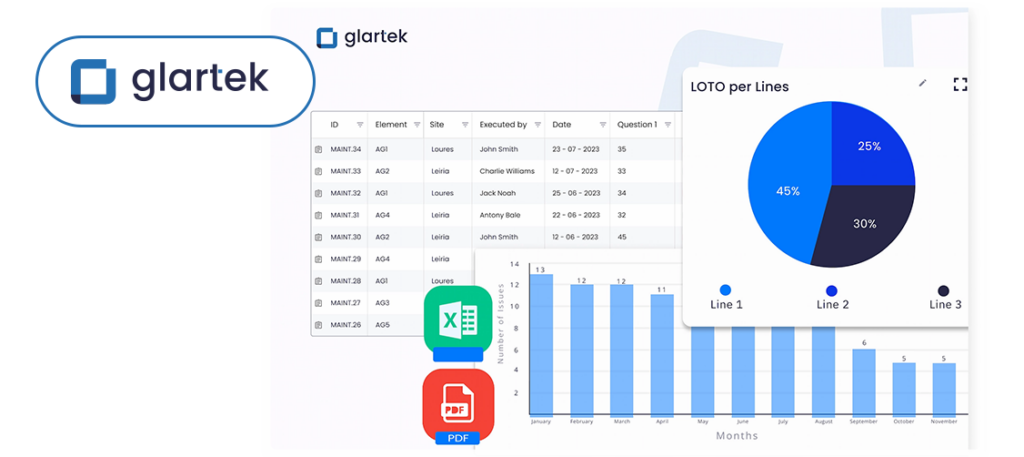
Glartek is an Augmented and Connected Worker solution that enhances productivity, safety, and excellence in all industrial operations. It helps industrial organizations to manage their day-to-day operations and tasks effectively.
Frontline team can perform their operations more effectively with the help of digitalized procedures, and organized workflows which enhance their skills, productivity, and safety.
Key Features
- Team & Task Management: Effectively manage all your daily operations by assigning tasks, monitoring progress, and ensuring all procedures are followed.
- Digital Work Instructions: Enhance efficiency by digitizing instructions, visualizing outcomes, and offering real-time support and guidance to your front-line team.
- Actions Management: Users can assign tasks, track activities, schedule, and more.
- Asset Management: Asset organizational tree, sites and elements, real-time tracking, templates, and profiles.
- Analytics: Glartek can capture data on work order execution, completion times, and other relevant metrics.
- Knowledge Management: Improve business outcomes with knowledge and document management platform.
- Visual Remote Assistance: Enhance collaboration among frontline teams with visual remote assistance using augmented reality.
Pros
- Facilitates remote technical support with features like file sharing, analytics, screen sharing, and chat.
- Easy to learn and use, ensuring quick onboarding and lesser training time.
Cons
- Users sometimes experience glitches in the app.
- Functions may not respond instantly when clicked.
SwipeGuide
Pricing: SwipeGuide Pro starts at $649/MONTH
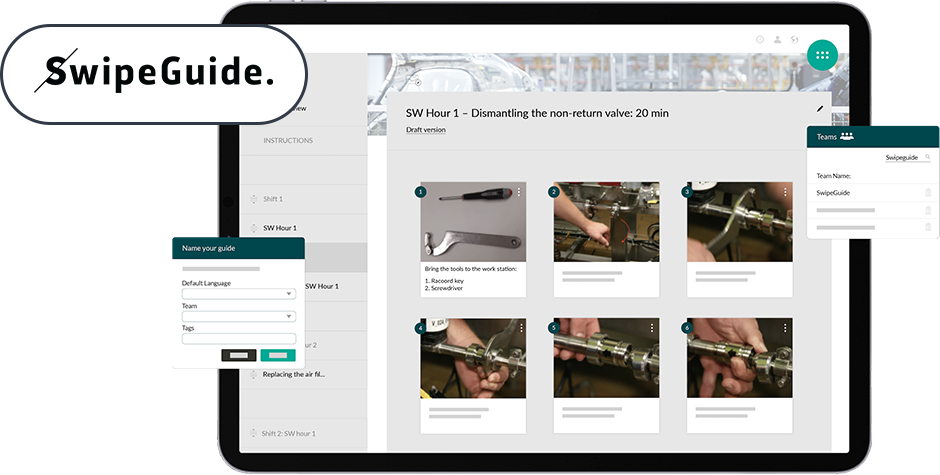
SwipeGuide platform empowers manufacturers to improve operational knowledge and performance across sites, lines, and teams. Organizations can create, manage, and share step-by-step work instructions including various procedures and tasks. Their mission is to empower frontline workers to connect knowledge, troubleshoot issues, and continuously improve processes to ensure sustainable production. However, SwipeGuide has the least features as compared to other digital work instructions solutions.
Key Features
- Proven Templates: Technical documentation templates are based on proven academic research.
- Drag & Drop functionality: Users can easily edit work instructions on mobile and tablet devices.
- Checklists & Sign-off: Capture performance data with checklists and use sign-offs to confirm task completion.
- Multi-lingual Support: SwipeGuide supports multiple languages, providing instructions to a diverse workforce.
- Teams & Users: You can even assign roles to your team and decide who can administer or edit content.
Pros
- User-friendly for both end users and editors.
- Provides quick access to work instructions by scanning QR codes.
- Responsive and supportive customer service team.
- Easy implementation
Cons
- Unclear which features are included in the different licenses.
- Lack of roadmap or insights on scheduled improvements.
- More editing options for pictures are needed.
Atheer
Pricing: Contact for pricing overview
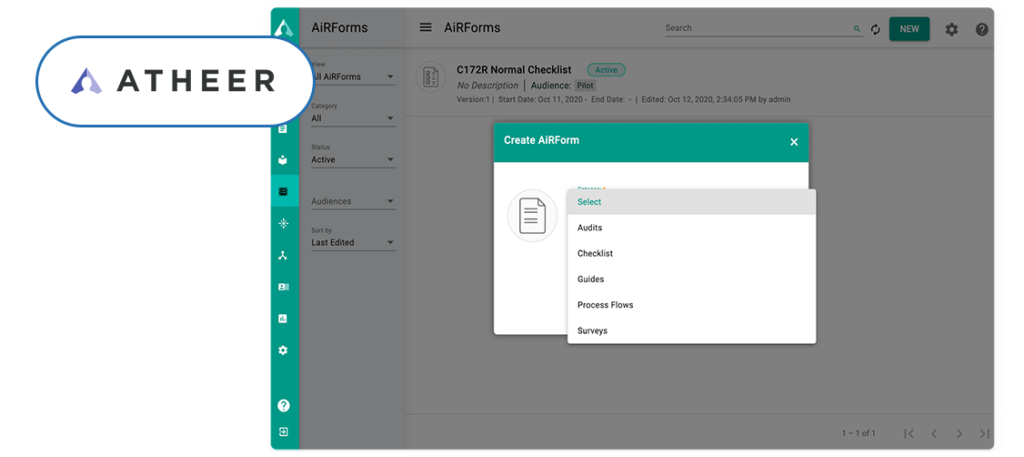
Atheer is a low code/no code Connected Worker platform with a suite of modern digital tools to empower frontline workers to work faster, better, and safer. It improves training, standardizes and elevates work order execution, and delivers cutting-edge remote help to reduce issue resolution time.
Key Features
- Open job execution
- No code authoring
- Text to speech
- Job scheduler
- Knowledge hierarchy and deep links
Pros
- Seamless integration with existing workflows.
- Provides real-time guidance and support during tasks.
- AR-Powered Training and Onboarding
Cons
- Complex Integration for Beginners
- Adds no productivity for highly skilled front-line workers
Wrapping Up
In our view, it all boils down to what your specific needs are, and which features you value most in connected worker solutions.
Operations1 offers various features designed to optimize workflow management, Plutomen’s connected worker platform stands out as a compelling alternative for several reasons. With its advanced features, Plutomen empowers field workers with real-time, hands-on guidance, reducing unplanned downtime and minimizing errors. Its intuitive interface and comprehensive suite of tools ensure seamless integration into existing workflows. Features like industrial asset management, action management, library, AR remote assistance, task management, and many more make it an ideal solution for various industrial needs.
Make sure you evaluate the pros and cons of each platform mentioned here so that you can make an informed decision that empowers your team and streamlines your operations.
Explore how Plutomen can revolutionize your industrial operations today!
Schedule a demo and discover why Plutomen’s connected worker platform is the right choice for your business.
Request Demo
Frequently Asked Questions

Hiren Kanani
CTO, Cofounder of PlutomenWith 10+ years of experience, Hiren Kanani has helped Plutomen ensure smooth communication between the company and its clients for swift project delivery with fewer iterations. He is the CTO and founder of Plutomen.