Dozuki is a renowned connected worker platform to empower frontline workers through standardized work instructions. Work instructions created through the Dozuki platform help frontline workers significantly reduce human errors, streamline job processes, and improve training effectiveness.
While Dozuki is a popular choice that provides frontline operators with training and instruction tools, it isn’t the only one available in the market. At the time of writing this blog, there are about 126 connected worker platforms listed on G2.com.
In this article, we will uncover the top 10 alternatives to Dozuki digital work instructions software. Let’s get to the meat of the matter, already!
Why Should You Explore Dozuki Alternative?
Dozuki offers a strong feature set designed to empower frontline workers and streamline operational processes like document control, schedule releases, offline access, markup tools, and many more. Despite this, there are some reasons why you might explore the Dozuki alternative. Let’s see some of them:

Knowledge Check & Testing Issue
Businesses that use Dozuki products frequently have challenges with knowledge checks and testing features. These seem to be uninteresting and unprofessional. Furthermore, the lack of an auto-grading option prevents users from receiving immediate feedback or ranking employees during training sessions. Not only this, Dozuki lacks a checklist feature, which is essential for businesses to assign tasks to users. When a platform fails to satisfy these basic needs, service organizations may consider moving to other options that better coincide with their requirements.
Confusing “Media Manager” Functionality
Dozuki has a media manager function that allows users to upload videos and photos. This simplifies work instructions and the worker training process. As it was specially designed to make work instructions and the training process easy, it usually creates confusion among users. One notable issue is that after an image has been utilized, it cannot be stored on the server, instead further uploading actions were needed each time. Always make sure that great software utilizes uploaded videos and photos in many projects without having to re-upload them.
Lack of Autosave Feature

Dozuki’s lack of an autosave feature is one of its main drawbacks. This major drawback is a big risk for businesses, as work in progress is not automatically saved. In most of the organizations, different members might be working on a project simultaneously. Hence, the loss of unsaved data due to some system failures or disruptions can result in substantial delays and higher expenses. It’s important to save your document or make changes to an existing one. And features like autosave will protect your documents all the time.
Inefficient User Interface
Another of Dozuki’s shortcomings is its inefficient user interface, which makes it difficult to navigate quickly and find information. Users appreciate an interface that is simple, easy to navigate, and efficient. Desired features like click-and-drag functionality for organizing guides and simultaneous media uploads are notably absent. It is difficult to use this software when all its features are not easily accessible. As a result, people spend a lot of time figuring out how to use it.
Difficulty in Obtaining Information
Cloud-based documentation platforms like Dozuki are used by most businesses as they allow all team members and workers to access crucial data and procedures all in one place. It reduces training time as everyone can access the business procedures. However, Dozuki’s layouts and templates can be complex, leading to more search times for new users who are completely unfamiliar with the platform’s structure. Such inefficiencies can impact productivity and affect the onboarding process for new users.
Customer Support
70% of consumers will spend more with businesses that have a good customer experience. The Dozuki’s customer support team is quite slow in responding to issues. Slow customer service response times will impact on business growth in the other direction.
Basic Reporting Issues
Many users have expressed dissatisfaction with Dozuki’s limited reporting features. Its features are basic, and not suitable for expanding companies, making it difficult to improve capabilities. Users are frustrated with the work history system as it doesn’t provide a total count of each guide completed daily.
In addition, downloaded data differs from the web version, causing confusion. There must be an option for custom reporting.
How to Find the Best Dozuki Alternative for Your Industry?
Before we get into the list, let’s quickly cover aspects of a digital work instructions software tool you should consider before making your final decision.
You must consider not just the price or reputation but explore various features and your company’s unique needs.
This includes:
#1 Define Your Goals: First consider what you want to achieve, and then commit to it. What issue do you want to resolve? Do you want to go paperless, or are you trying to use data collection and analytics as part of a complete digital transformation?
#2 Functionality: Digital work instruction software should enable quick and easy authoring. Look for features like drag-and-drop functionality, multimedia support i.e. images or videos, and even offline editing.
#3 Accessibility: Ensure that users can access work instructions on any device including smart glasses, mobile, or tablet.
#4 Easy To Use: Work instruction software should be user-friendly and easy to adopt. With an intuitive and easy-to-understand user interface workers can complete their tasks easily and efficiently.
#5 Visual Content Support: Capability to include images, videos, & documents to enhance the clarity of process explanations.
#6 User Permissions: Make sure that the work instructions solution should have control over who can view, edit, or approve documents to maintain security and compliance.
Let’s dig further and see which are the best Dozuki alternatives that are worth considering in 2025.
10 Best Dozuki Alternatives You Should Consider in 2025
Plutomen Workflow
Pricing: Contact for pricing
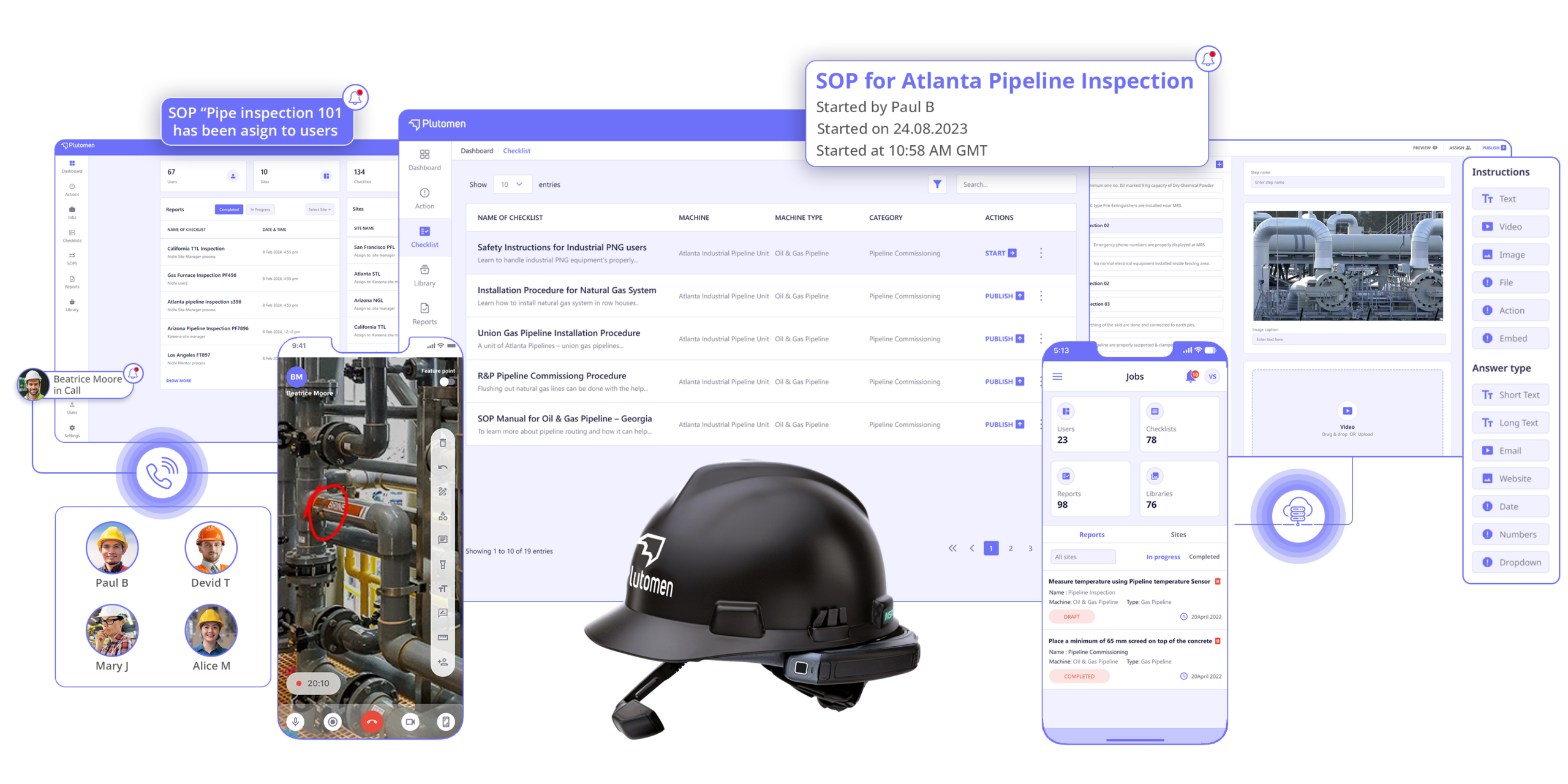
Plutomen Workflow is your one-stop solution to provide digital work instructions and manuals to streamline frontline operations. It is one of the best Dozuki alternatives, packed with innovative features specially designed to meet the evolving needs of industrial enterprises. You can use Plutomen workflow to digitize your SOPs, checklists, and work instructions. By eliminating paper-based processes and replacing them with intuitive digital tools, Plutomen empowers your frontline workforce with the knowledge they need to perform tasks efficiently, accurately, and safely.
It provides a centralized dashboard to create, update, and publish intelligent paperless instructions. Moreover, you can get easy access to configure workflows, secure knowledge repositories, digitize checklists, and guided troubleshooting anytime anywhere.
Here’s why Plutomen Workflow stands out as the best Dozuki alternative:
- Intuitive Interface: Plutomen Workflow has a user-friendly interface. Frontline teams can follow work instructions seamlessly, reducing human errors.
- Real-Time Accessibility: Team members can access work instructions anytime, anywhere on the device of their choice.
- Secure Knowledge Repository: Leverage a centralized repository, which includes photos, videos, and documents, eliminating the risks of outdated or inaccurate instructions.
- Intelligent Analytics: It offers advanced analytics that helps management gain valuable insights into frontline operations.
- Create Checklists and SOPs: Allows you to create SOPs, Instructions, and Checklists in minutes.
- Multimedia Support: With Plutomen Workflow you can attach PDF documents or images and videos, allowing the operator to perform their tasks more accurately and on time.
- Seamless Integration: Plutomen Workflow effortlessly integrates with existing systems to SAP or other ERP with ease. Compatibility with RealWear devices ensures a user-friendly experience for the frontline workforce.
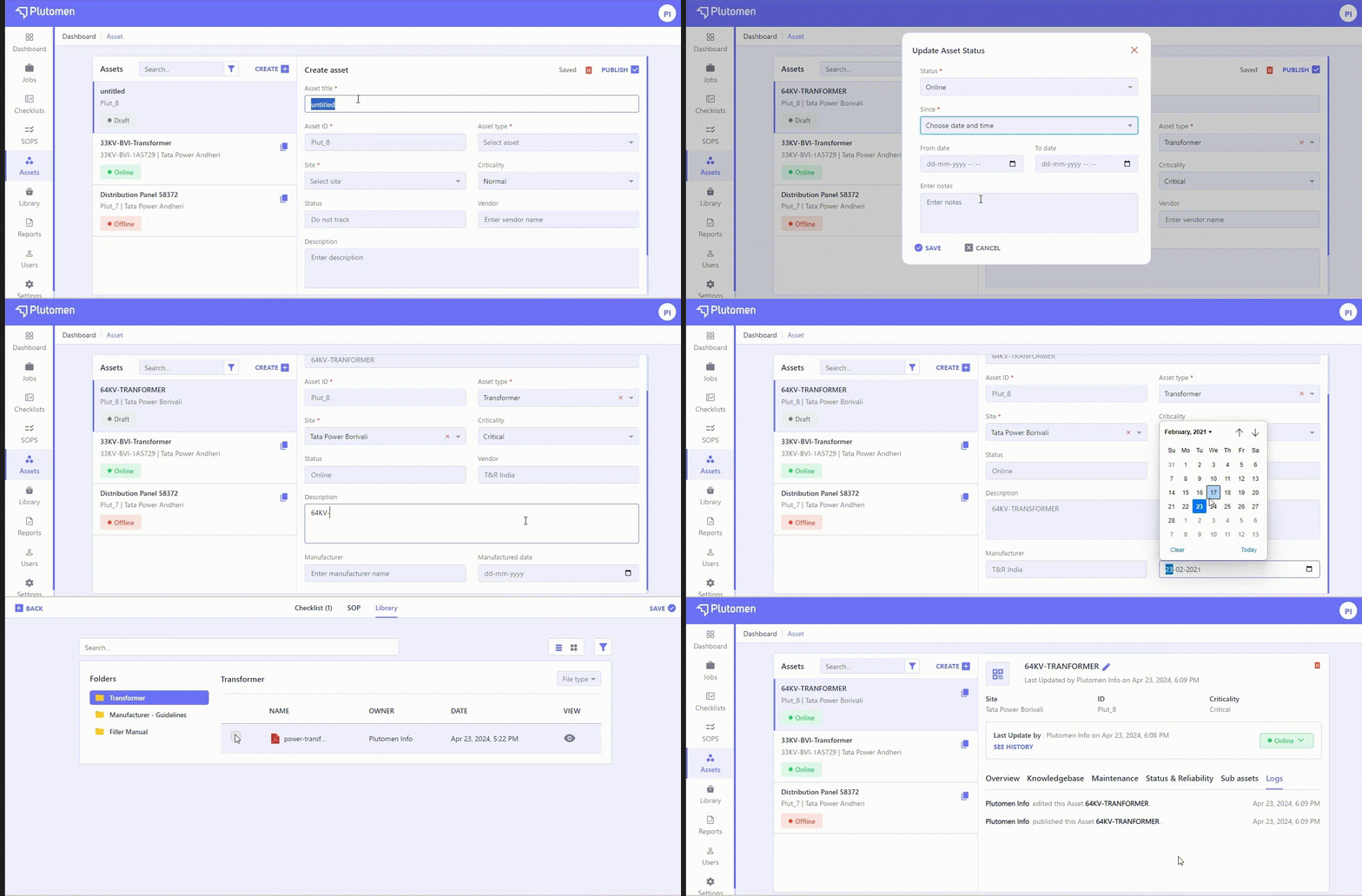
Easily Create & Manage Your Industrial Assets With Plutomen Workflow
Asset Management Module streamlines processes, enhances visibility into asset health & performance, and facilitates knowledge sharing among teams. With these powerful features, businesses can optimize maintenance schedules, reduce downtime, and ensure efficient asset utilization.
Streamline Workflows with Intuitive Task Management
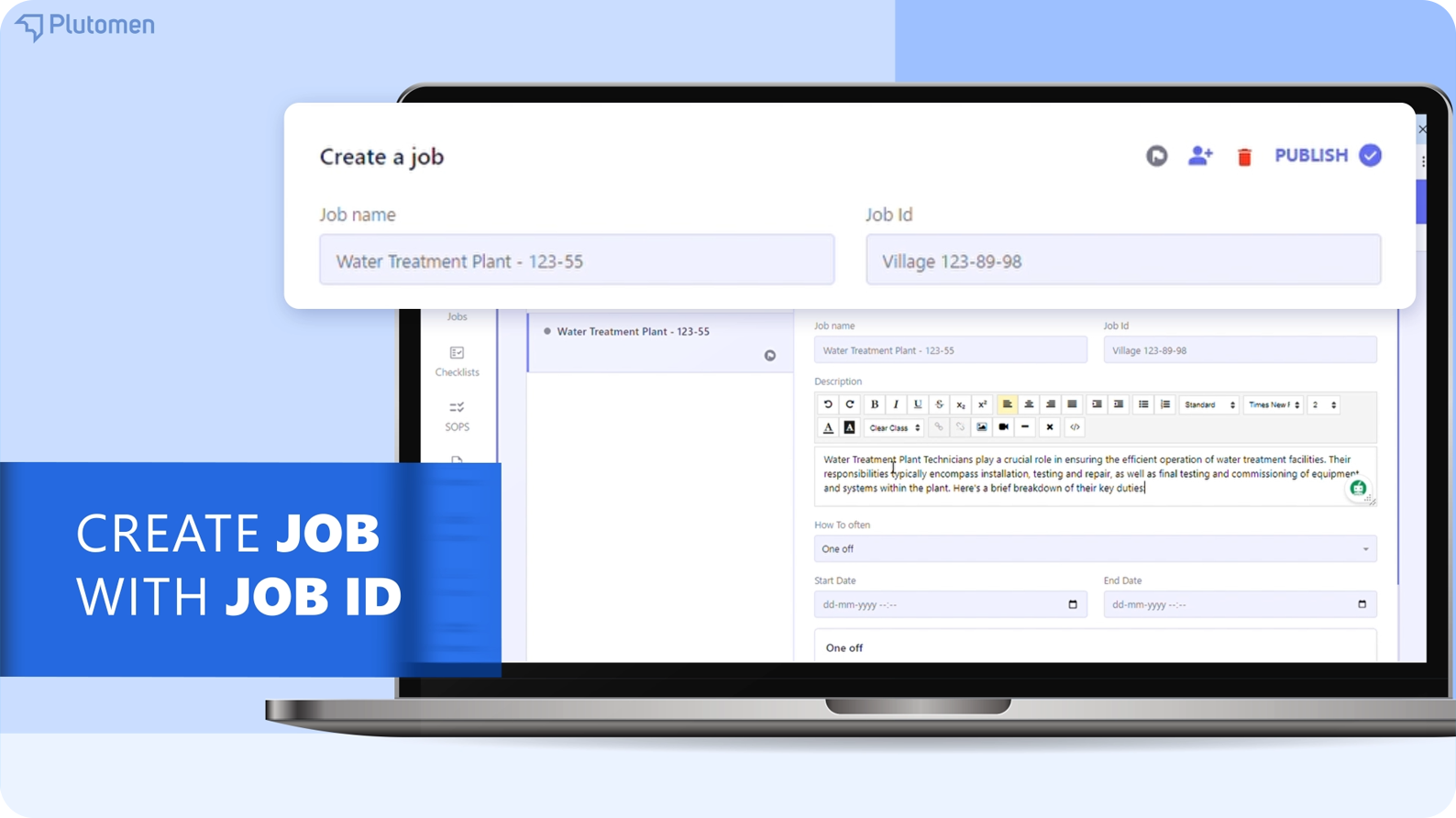
To create Jobs/Tasks login to your Plutomen Workflow account and select “Jobs”. Enter the Job ID and description.
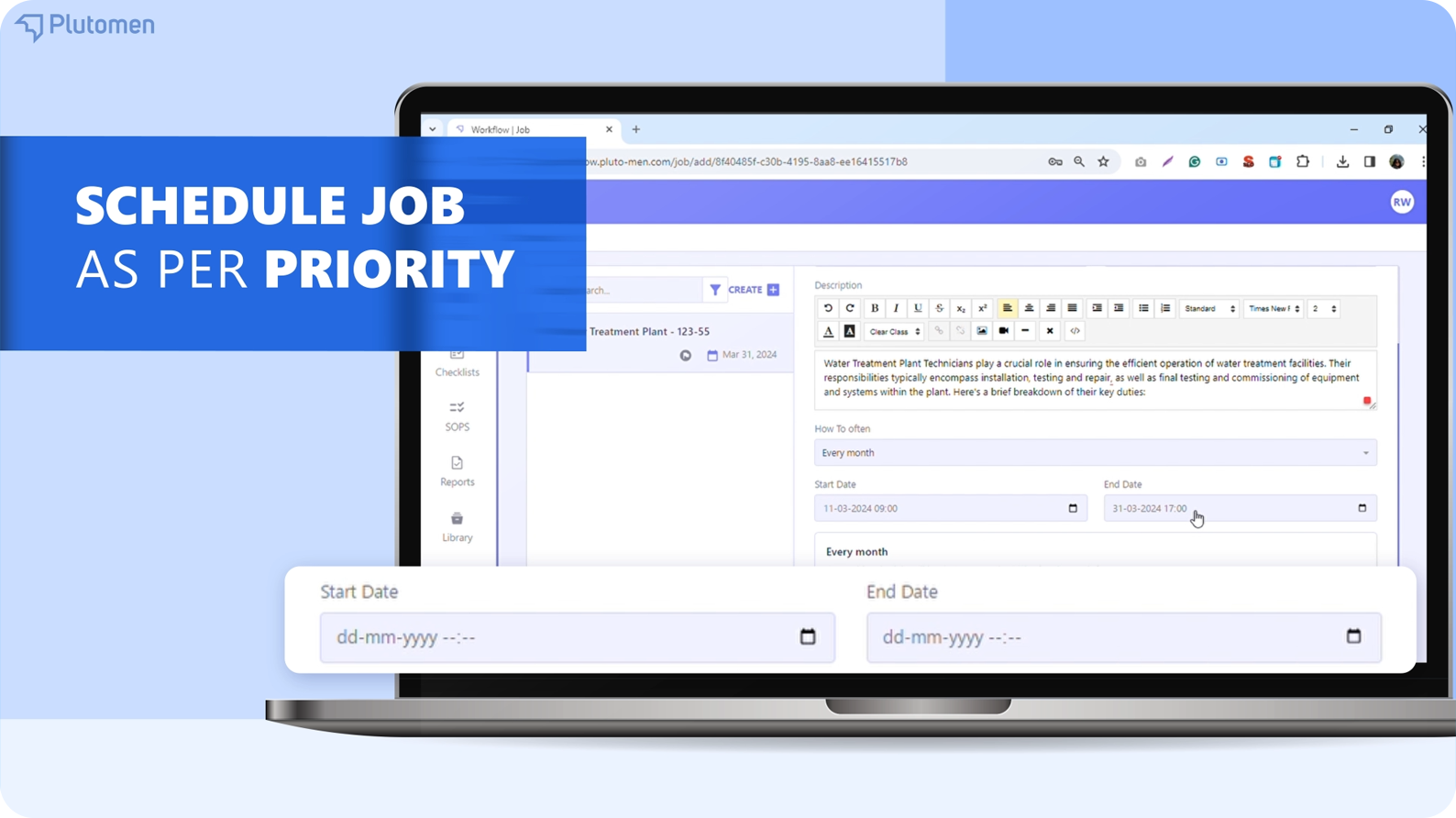
Even Schedule a Job as per the task priority or even set a recurring job schedule.
Select any activities you want your frontline workers to perform. It allows you to effortlessly navigate between published checklists or SOPs.
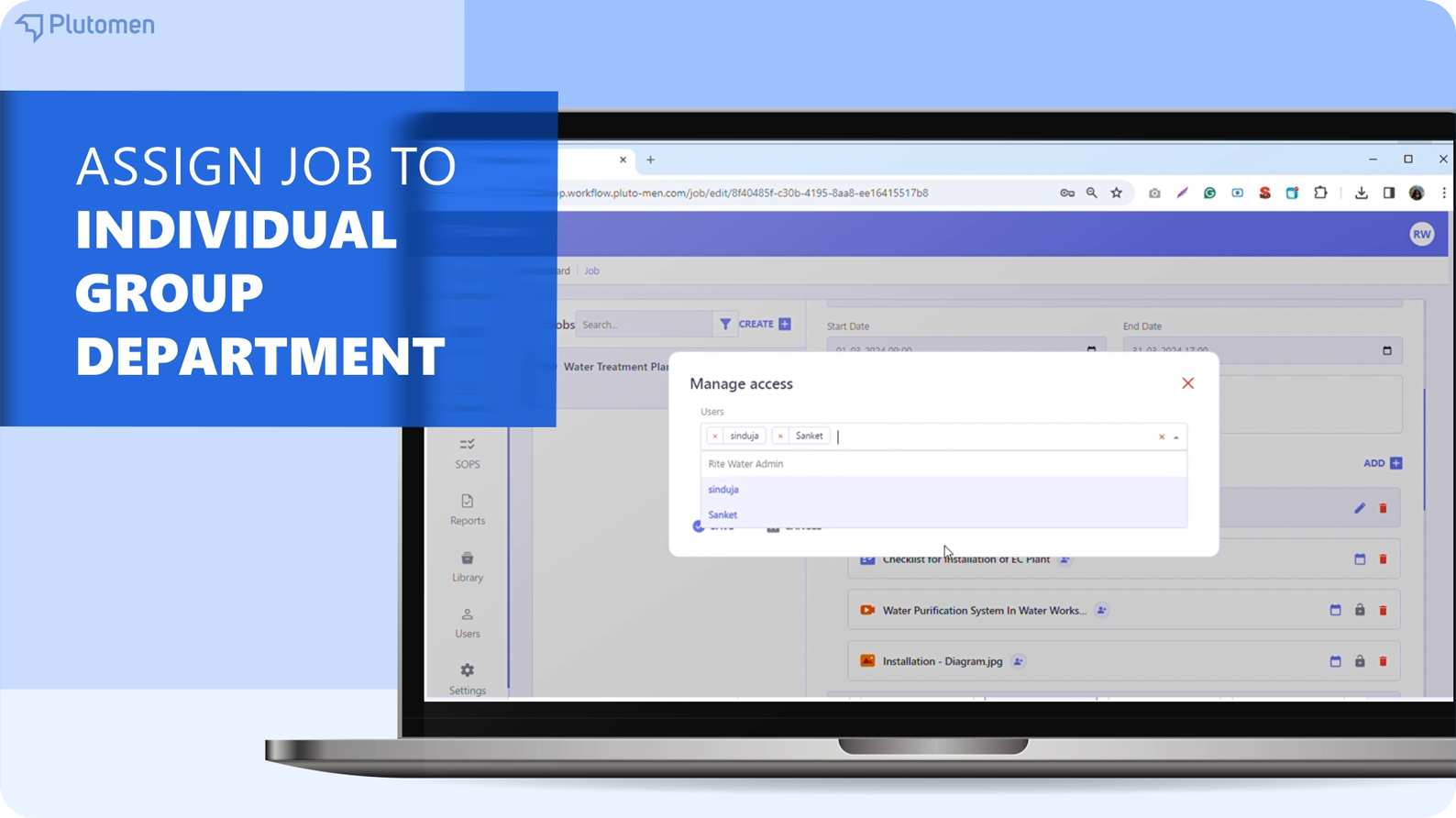
Next Effortless assignment – assign tasks to individuals, groups, or the entire department.
View individual reports for each activity post. You can even seamlessly download individual reports or a consolidated report after the job is done.
Create a Secure Knowledge Repository
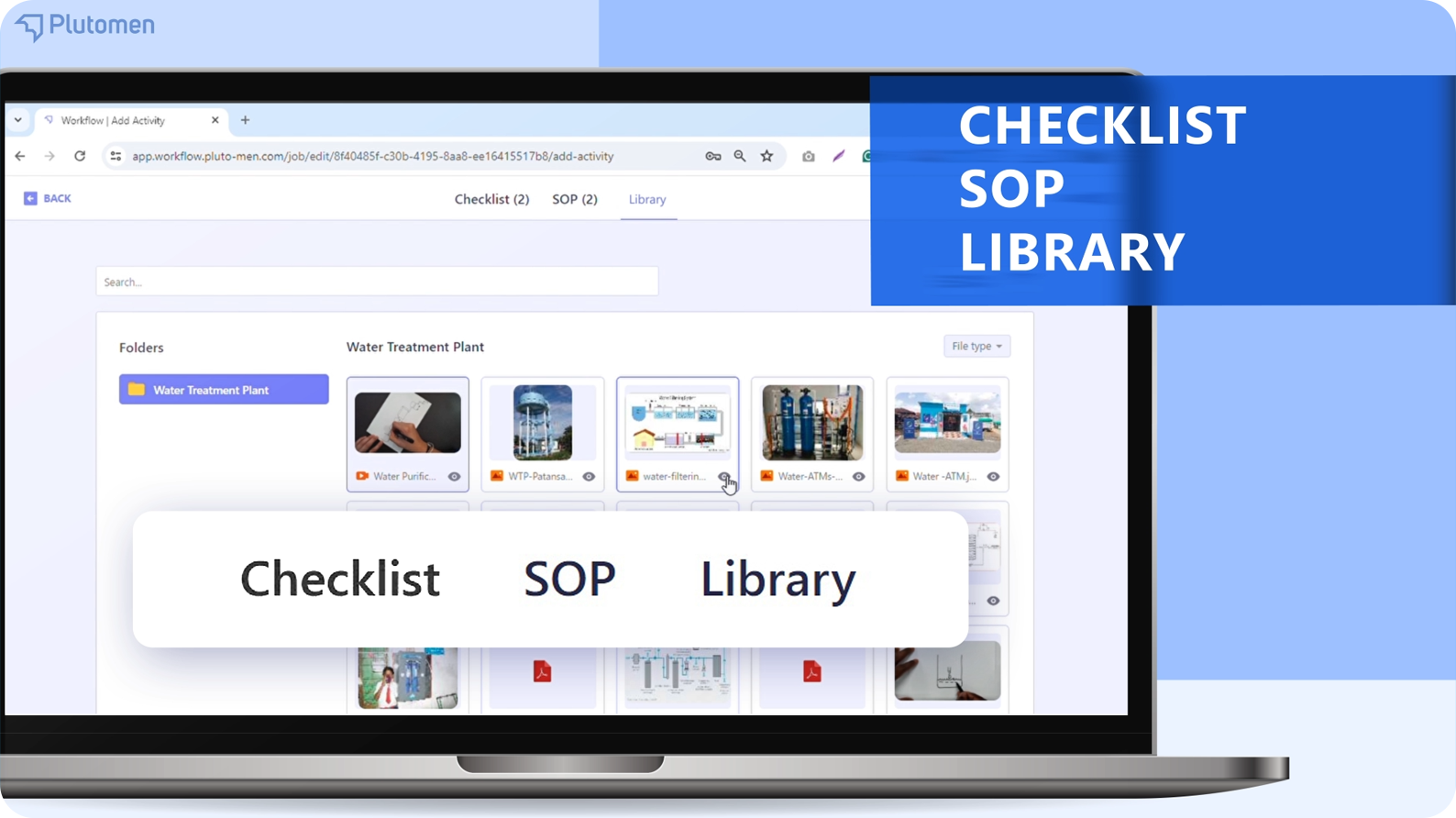
Leverage a centralized repository, which includes photos, videos, and documents, eliminating the risks of outdated or inaccurate instructions. You can even create folders to organize data and share it with your team.
Create Work Instructions in Seconds with Plutomen Workflow
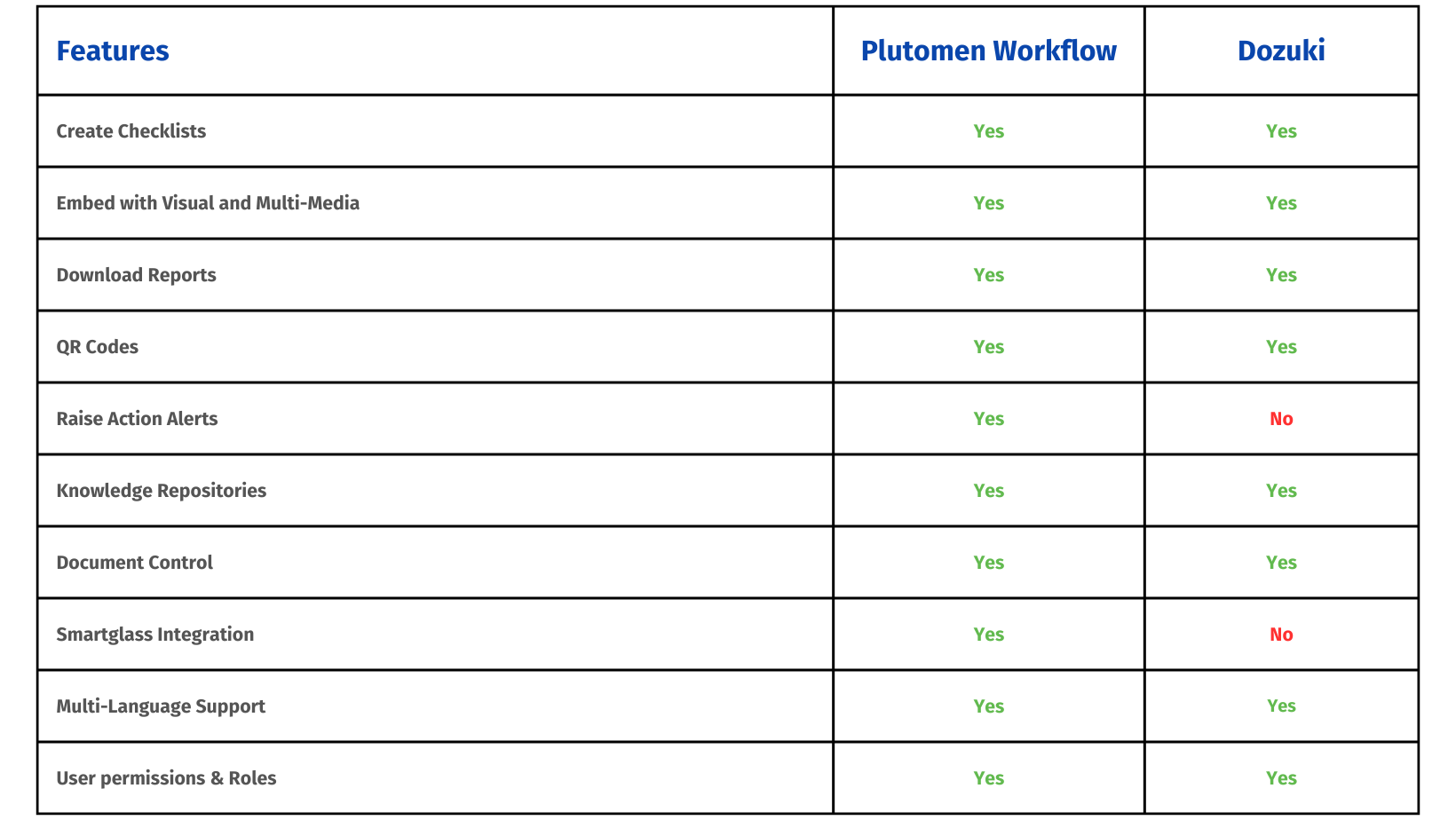
Dozuki vs. Plutomen Workflow: A Feature Face-Off
What Do Plutomen Workflow Users Say?
“Every company should empower their frontline workers by giving them access to work instructions that are standardized and rich in media. Plutomen is our go-to platform for quality work.”
– Elina Z, Director of Manufacturing Ops at an OEM company
Scribe
Pricing: The pricing for Scribe starts from $23/seat per month
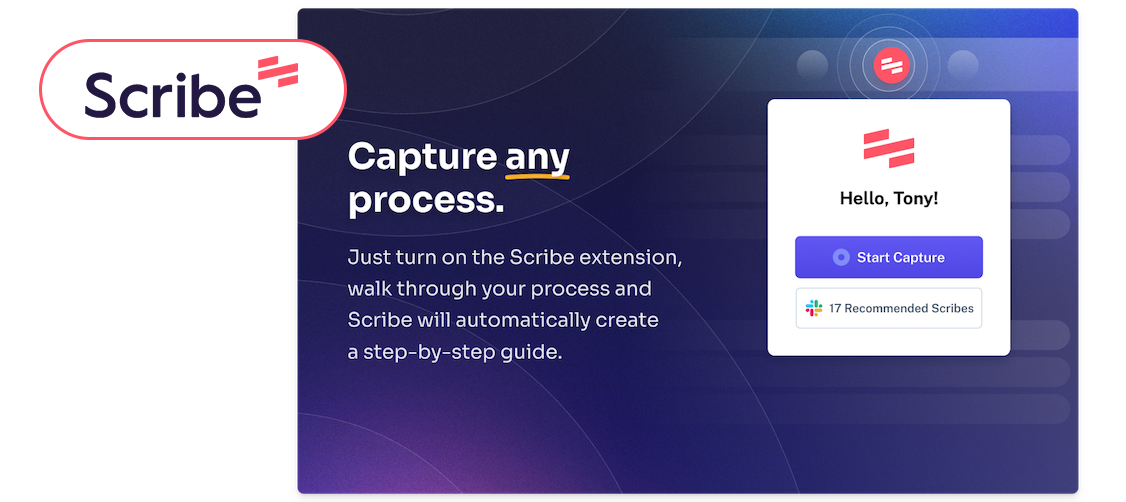
Scribe is an essential tool that transforms any process into a comprehensive, step-by-step guide. It is therefore essential for anybody looking to streamline their work instructions. With Scribe, you simply need to activate the extension or desktop app, and it will generate a sharable guide embedded with necessary text and screenshots while you work.
With its intuitive interface, you can easily record, edit, and share any workflow that is compatible with several tools or that can be accessed via a simple link. Several scribes may be combined with text and other material using the Scribe Pages function. This makes it perfect for combining different work instructions into a single procedure.
Key Features:
- Web & desktop process capture: With Scribe, you can automatically create how-to guides for any web or desktop-based process.
- Automatic step instructions: Scribe allows you to automatically write how-to guides.
- AI-generated process documents: Use AI to create Standard Operating Procedures (SOPs) & training guides for any procedure.
- Shareable links & PDF export: Share your guides via email, embed them in your wiki or LMS, or you can even export them to PDF.
- Scribe Pages: Users may add text, descriptions, hyperlinks, and videos to Scribe process documents. Pages allow customers to customize process guidelines according to their needs.
Benefits:
- Document your processes 15x faster.
- Find answers to your questions 67% faster.
- Boost your team’s productivity by 25%.
Cons of Scribe
- Lacks intuitiveness and AI integration.
- Unnecessary additional clicks, which can slow down workflow.
Poka.io
Pricing: Contact for pricing overview
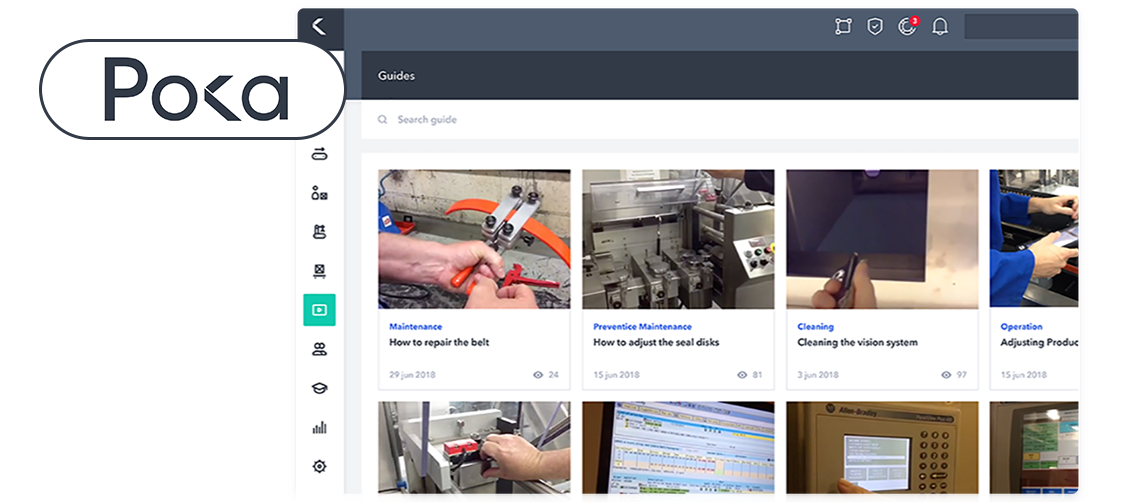
Poka.io allows frontline workers to access knowledge, skills, and necessary support to perform their tasks efficiently. It helps businesses address manufacturing challenges such as poor communication, outdated methods, and skill gaps. The software manages all work instructions, digitizes procedures, and ensures consistent product quality. In addition, it has a user-friendly interface easily used by workers.
Key Features:
- Cloud services
- Production Tracking
- Multiplatform software found on desktop and mobile apps
- Version Control & Audit Logs
- Knowledge base management
- Platform is available in 21 different languages.
- Integrations with API
- Role-based Access Control
Benefits:
- Improve employee access to critical information
- Reduces Downtime & Minor Stoppages
- It has multilingual support
- Easily access digital work instructions via QR codes
- Workers are connected in real-time.
- The interface is user-friendly.
Cons of Poka.io
- Limited types of items for work instructions and skills input.
- Difficult to generate richer content like tables and diagrams directly in the content creator.
- Notification icon at the top of the screen is not user-friendly.
Augmentir
Pricing: Contact for pricing overview
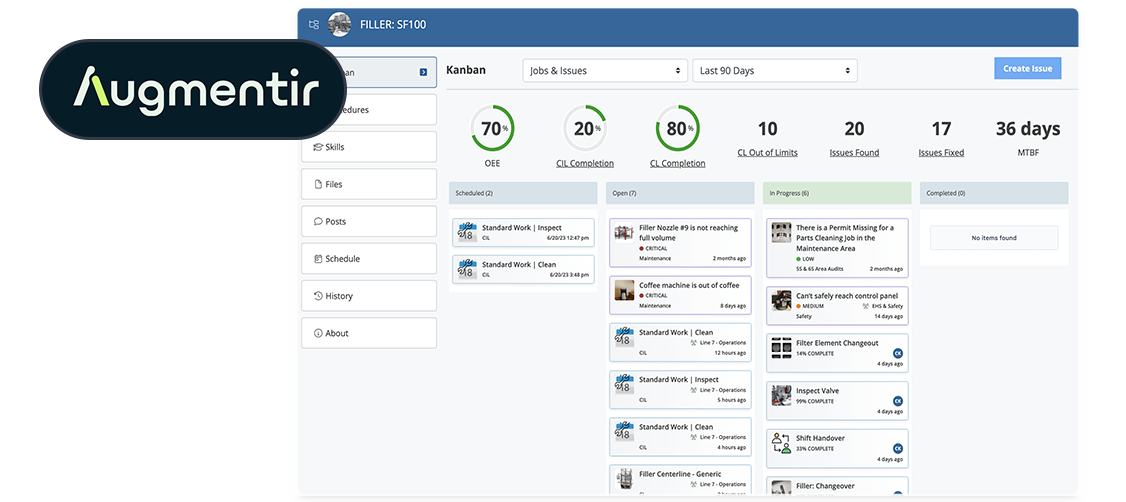
Augmentir offers a digital work instructions solution designed to streamline and improve frontline operations in various industries, particularly manufacturing. With Augmentir, industrial enterprises can assist their frontline workers with digital, augmented work instructions and drive continuous improvement. It allows to create, update, and deliver work instructions to users through any mobile device or wearable technology to perform their tasks.
Key Features:
- Authoring tools: Augmentir has easy drag-and-drop functionality. It comes with interactive elements to create digital work instructions and templates for procedures.
- AI-based Author Insights: Generate insights available for every process to offer chances for ongoing improvement and potential reasons and suggestions.
- Versioning: It offers a comprehensive procedure versioning system that includes labelling, PDF reports, version comments, and access to process publish history.
- Generate PDF: You can download your procedures.
- Support for multiple devices: Users can access work instructions through AR-enabled smart glasses, iOS and Android-enabled smartphones and tablets, or desktop computers.
- Offline Mode: Support for running jobs in an offline/disconnected mode.
Benefits:
- Deliver hands-free operations
- Reduce operational costs
- Enhance your procedures with AI-based smart insights
- Versatile and user-friendly interface
- Digitize all documents, track, organize, & identify improvement opportunities using AI
Cons of Augmentir
- Cannot work on procedures from mobile devices.
- The interface is not very user-friendly.
Glartek
Pricing: Contact for pricing overview
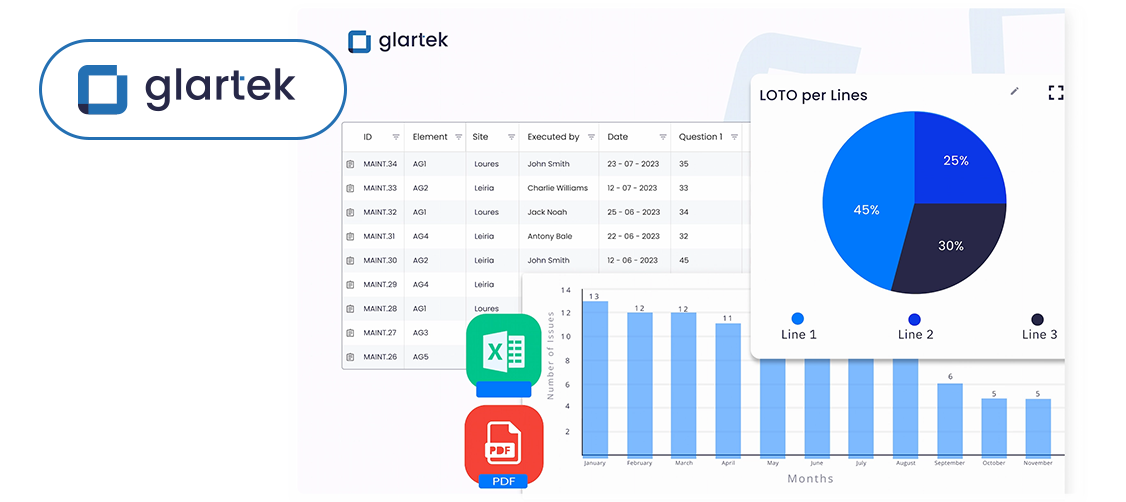
Glartek is a no-code Augmented & Connected Worker platform that helps industrial organizations manage their daily processes and frontline workers with their daily tasks.
Frontline workers may perform their operations more effectively with the help of digitalized procedures, organized workflows, and 2D/AR work instructions, which improve their skills, productivity, and safety.
Key Features:
- Work Order Management: History, on-demand and scheduled work orders, calendar, notifications, and more.
- Actions Management: Users can assign tasks, track activities, schedule, and more.
- Asset Management: Asset organizational tree, sites and elements, real-time tracking, templates, and profiles.
- Analytics: Glartek can capture data on work order execution, completion times, and other relevant metrics.
- Alerts: Gives instant notifications for critical events.
- Other: Multi-language UI, automation tools, export/import, audit trail, white label, integrations.
Benefits:
- Seamless procedure migration from paper to digital with a no-code, customizable platform.
- Minimizes unplanned downtime caused by errors or delays.
- Manage everything on a single platform, including teams, tasks, assets, and inventories.
- Access real-time process information and analytics.
Cons of Glartek
- The product primarily focuses on complex tasks, making it cumbersome to perform simple tasks or visualize small details.
- Difficulty for users to fully utilize the app’s potential.
Atheer
Pricing: Contact for pricing overview
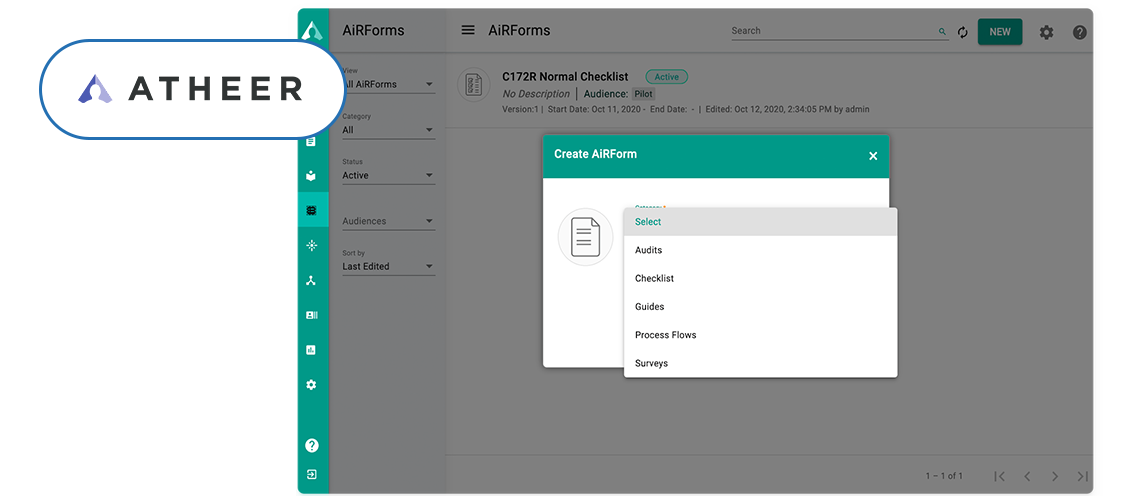
The Atheer AR-powered Front Line Worker Platform empowers the world’s largest manufacturing and industrial organizations to assist their front-line workers to perform safer, better, and quicker. Atheer is a low code/no code end-to-end Connected Worker platform that improves training, standardizes and elevates work order execution, and delivers cutting-edge remote help to reduce issue resolution time.
Key Features
- Open job execution
- No code authoring
- Text to speech
- Job scheduler
- Knowledge hierarchy and deep links
Benefits
- Intuitive and common user experience
- QR, barcode, and OCR scanning for quick access
- No code authoring
- Easily optimize your service strategies and operations
Operations1
Pricing: Contact for pricing overview
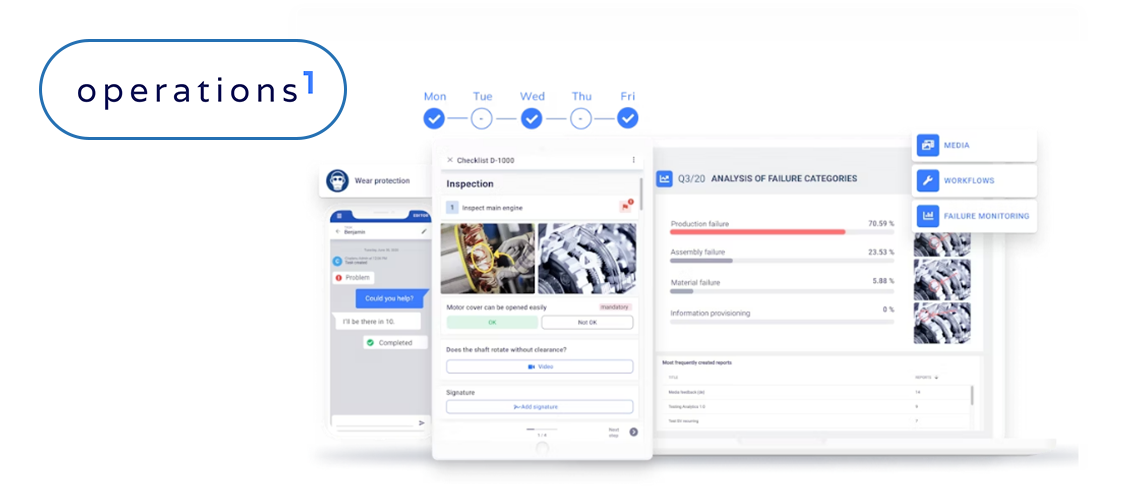
Operations1 is yet another Dozuki alternative with a decent scope of features for work instructions software. It helps industries like petroleum and gas, manufacturing, heavy metal, etc., to streamline their operations. However, its features are relatively limited compared to Duzuki’s features. Below are some key features of Operations1 digital work instructions software.
Key Features
- Drag-and-Drop Functionality: Easily create and modify your work instruction.
- Multi-Media Support: Use PDF, image, and video-supported work instructions.
- Multilingual Support: Deliver digital instructions in various languages.
- QR-code scanning: You can use the search option or scan a QR code to begin processing.
- Multi-Device Compatibility: Access work instructions and features from PCs, tablets, and smartphones.
- Integrations: Integrate Operations1 with other software used in your workflow, such as ERP, MES, and other systems.
- Notification: You can notify your team members when there are updates in work instructions.
Benefits:
- Simplified process documentation.
- Real-time availability of information.
- Complete integration into existing IT systems.
Tulip
Pricing: Tulip offers different packages to meet various needs. The starting package is ideal for basic production visibility, quality, and assembly workflows, priced at $1200 per interface per year.
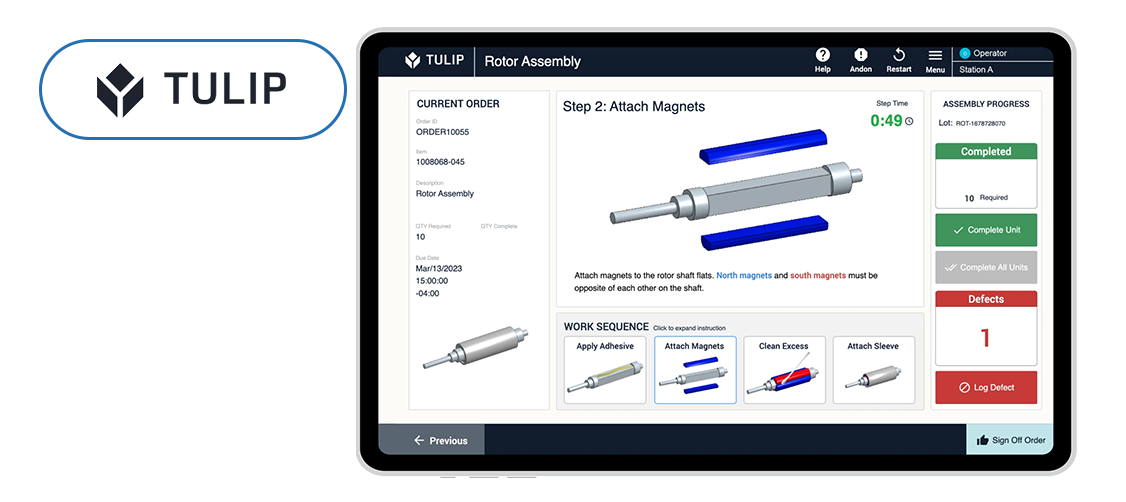
Tulip is a one-shop software that helps manufacturing industries optimize their frontline procedures. It provides paperless assistance to help frontline teams perform complex tasks effectively with fewer errors. Not only that, but it also provides essential information regarding quality, process cycle times, and other relevant metrics.
Tulip’s digital work instructions software offers a massive range of features compared to its competitors. Let’s see some of them:
Key Features:
- Rich media instructions: Tulip allows you to create work instructions that incorporate PDF, images, and even videos. You can even support 3D models to provide clear and comprehensive steps for each task.
- Integrations: Digital work instructions can be integrated with Microsoft Office Suite/Sharepoint.
- Gain real-time visibility: Track frontline operations and cycle time to optimize production.
- Connectivity: You can connect to various smart devices on the shop floor.
- Performance metrics and analytics: Has an employee skills and training tracking feature or can be connected with a skills matrix module.
Benefits:
- Intuitive and user-friendly interface
- Reliable mobile app
- Manufacturing specific solution
Cons of Tulip
- Edited changes may be difficult to view, according to some Tulip reviews.
SwipeGuide
Pricing: SwipeGuide Pro starts at $649/MONTH
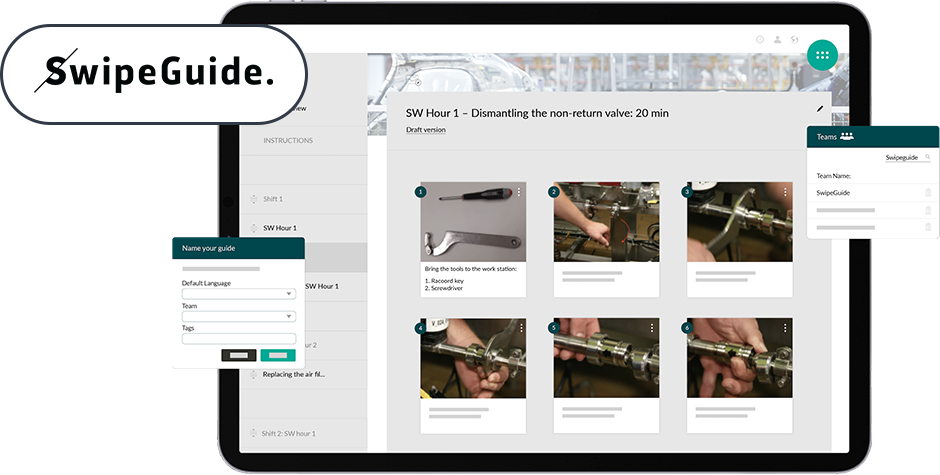
SwipeGuide is an easy and adaptable work instructions software, designed to improve efficiency and streamline procedures. Organizations can create, manage, and share step-by-step work instructions including various procedures and tasks. SwipeGuide has the least features as compared to other digital work instructions solutions. Let’s see some of them:
Key Features:
- Step-by-Step Work Instructions: With SwipeGuide you can create step-by-step work instructions, SOPs, and checklists and incorporate images, videos, or even PDFs to enhance clarity.
- Accessibility: Frontline teams can access work instructions via PC, tablet, or smartphone.
- Sharing and Distribution: Work instructions can be instantly distributed across sites and production lines anytime anywhere.
- Analytics & Improvement: SwipeGuide facilitates continuous improvement and tracks performance metrics such as OEE, and FTR.
- Skills Management: Allows easy access to on-the-job learning instructions, helping frontline teams learn the skills needed to perform their tasks.
- Multi-lingual Support: SwipeGuide supports multiple languages, providing instructions to a diverse workforce.
Cons of SwipeGuide
- The solution needs technical help while setting up and when upgrades are needed.
VKS (Visual Knowledge Share)
Pricing: The pricing for VKS starts from $350.00/month
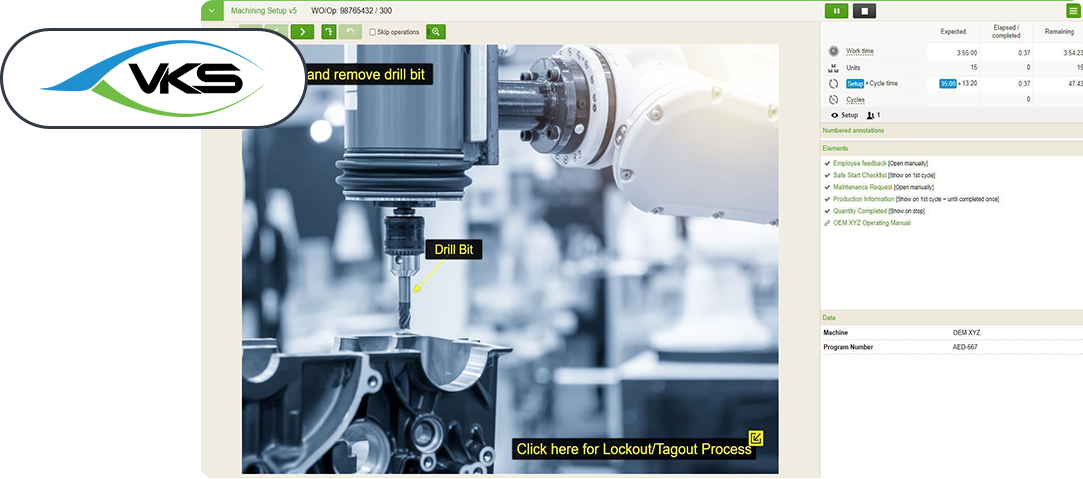
VKS specializes in digital work instruction solutions for various industries such as aerospace, automotive, food & beverages, and many more. Their solution helps industries create, manage, and share digital work instructions accessible to frontline teams. Moreover, it allows them to record real-time production data, through operator inputs, Internet of Things (IoT) devices, external software, and many more. Below are some key features of VKS digital work instructions software.
Key Features:
- Multimedia Support: Create work instructions embedded with videos, images, and other elements.
- Version Control: This tool keeps track of all version history for all visual data. This allows users to easily trace any changes and, if necessary, revert to the prior procedure.
- Real-time Updates: In VKS work instructions you can easily update multiple instructions at once ensuring consistency.
- Multi-Lingual Support: You can share procedures globally by instantly translating your work instructions into 30 languages.
- Built-In Digital Forms: Allows you to collect quality data, serial numbers, inspection results, and other information.
- Notifications and Alerts: Receive notifications and alerts on recent changes and new information.
Cons of VKS (Visual Knowledge Share)
- It lags sometimes but not very frequently.
- Requires learning curve for new users.
Final Verdict: Best Alternative To Dozuki
Choosing the best digital work instructions software doesn’t have to be complex. Our list of worthy Dozuki alternatives will help you make a better-informed decision.
All solutions considered, Plutomen Workflow offers the best features and is easiest to digitize your frontline checklists, SOPs, and instructions.
Most work instructions software will include multi-media support, real-time updates, data analytics, and download reports. Along with all these features, Plutomen Workflow includes,
- Industrial Asset Management: Easily manage and create a knowledge repository of assets in the form of images, videos, and documents for enhanced clarity and understanding.
- Action Management: Create and assign actions to responsible parties as per priority. Actions include details like associated assets or work instructions and allow to assign workers to complete the task.
- SOP Authoring: Effortlessly create your SOPs using drag-and-drop interface. Include images, videos, and documents alongside text for clear instructions.
- Library: Access all the assets corresponding to a SOP from a centralized library. This centralized library streamlines SOP management and ensures team members have all the necessary information they need to perform tasks correctly.
Most small to medium service organizations pay through the nose for Dozuki, finding its cost exorbitant compared to other work instruction software options. There are many options that can be considered and one of the best options is Plutomen Workflow.
One place to digitize all your frontline checklists, SOPs, and instructions.
Get your frontline team to perform their tasks in a proper way and at the right time.
Check it out

Hiren Kanani
CTO, Cofounder of PlutomenWith 10+ years' experience of Hiren Kanani has helped Plutomen ensure smooth communication between the company and the client for swift project delivery with fewer iterations. He is CTO & founder at Plutomen.