Plutomen Assist
Immersive Training Solution by Plutomen
Give seamless immersive training to your frontline workforce, created in minutes & hours not days, with Plutomen Assist.
 Download Brochure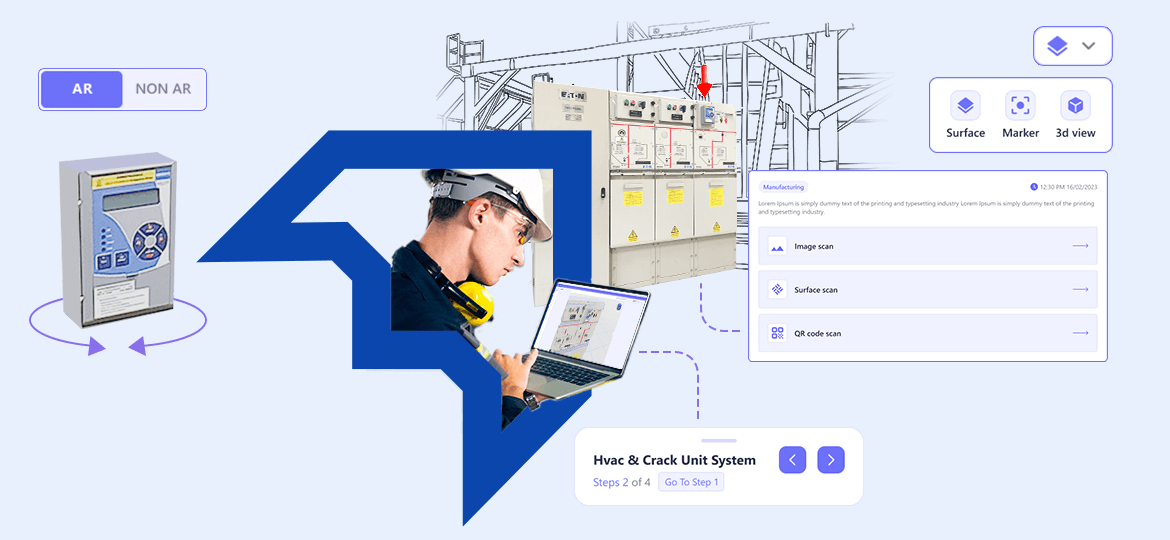
Give seamless immersive training to your frontline workforce, created in minutes & hours not days, with Plutomen Assist.

Spending time deciphering training instructions in papers instead of learning anything from them?

Overcoming skills and knowledge gap between your new hires and frontline workers?
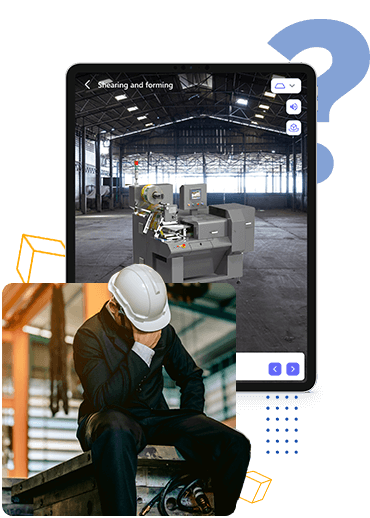

Inability to tackle high turnover rates and efficiently onboard new hires while maintaining training quality?

Traditional training methods falling short in effectively training your dispersed or remote workforce?
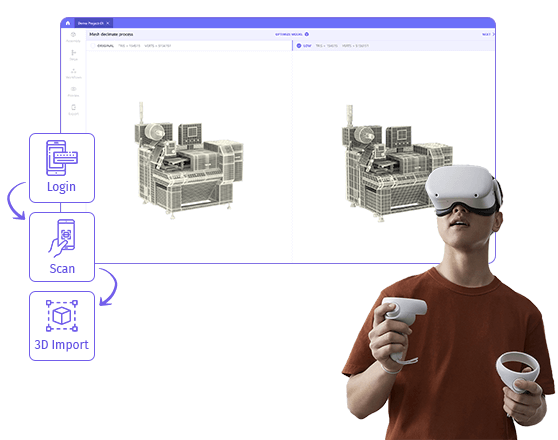
Plutomen Assist is a no-code editor, which enables industrial enterprises create real-time immersive, 3D training experiences for their frontline workers by leveraging power of AR and VR. Optimize knowledge retention for all employees by letting them immerse in a real-world lookalike stimulated virtual and augmented training environment. Create, deploy, access real-time 3D experience for AR, VR, mobile, and web across any industry.
On average, it takes up to 9 to 12 months for frontline workers to train & become proficient in their work. But that’s not all—the added complexity of workers dispersed across different service locations make training even more difficult.
Plutomen Assist makes it easy to create and consume interactive frontline training instructions from static 3D models visualization on the device of choice. Create once, consume everywhere.
The paper-based training approach falls short for upskilling and reskilling frontline workers due to its vulnerability to physical wear and tear or degradation over time. Immersive training surpasses paper-based methods, involving learners in augmented or virtual environments, offering interactive experiences from anywhere. Use 3-D visualization, augmented reality, and virtual reality techniques to upskill operational teams, train new hires, and reskill existing workforce.

Traditional paper-based training leads to a 2X increase in human errors and mistakes at work.
Request a Demo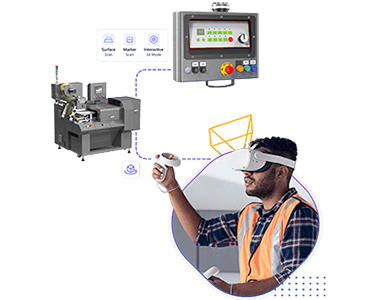
Immersive training allow workers to train and educate themselves by immersive into a virtual collaborative environment.
Request a Demo“Thanks to Plutomen’s immersive training solution, we have empowered our workforce by seamlessly integrating training into their workflows, resulting in increased success and productivity.”
Plutomen Assist let you convert meaningful, contextual, and valuable 3D data into digital twin and create interactive training manuals efficiently. Keep your workforce engaged virtually in a real-time 3D virtual environment. Create once, access anywhere regardless of the location. As simple as that!

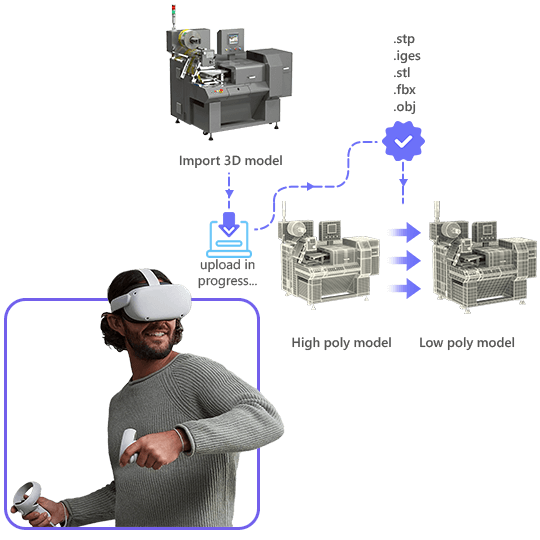
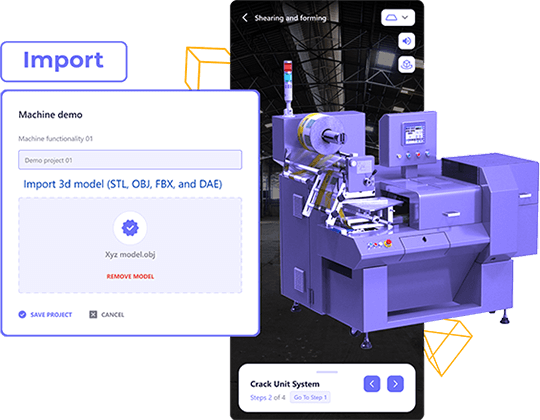
Import 3D models from a single-unified dashboard. Accepted formats: FBX, OBJ, GLTF2, GLB, STL, PLY, 3MF.
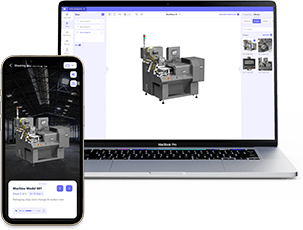
Enhance and publish 3D content by adding elements such as instructions, PDFs, images, audios, and videos.

Scan QR codes of machines, get training materials, instantly. Get immersive training experience with AR/ VR.
The more your team grows, the more training they need. Plutomen Assist boasts of smart features to incorporate immersive training that engage your frontliners fast and make them job-ready in days, not months. On-board fast; On-board Smartly.
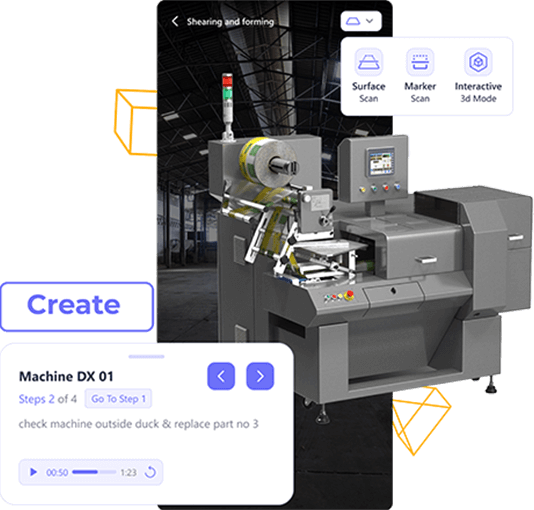
Effortlessly import 3D models of your machines, create training instructions, and publish in the form of training guides. Each training guide is highly detailed with attached media formats like videos, PDFs, and images.

Visualize your machines in 3D

Decimate 3D files in low to medium to high quality.

Create training materials using drag and drop.

Edit training instructions as you like.
Scan the barcode or QR code on machines to quickly access the training materials and guides linked with specific machines or specific parts. Augment your frontline workers to access training materials from the device of your choice.

Scan QR codes to get training guides.

Access your training models on mobile.
Integrate Plutomen Assist with Virtual Reality-based smart glasses to enjoy an immersive learning experience. Ignite the next generation of workers with groundbreaking training technology, paving the way for a future where traditional methods are nothing but a distant memory.

Experience training in AR/ VR.

Integrate the smartglass of your choice.
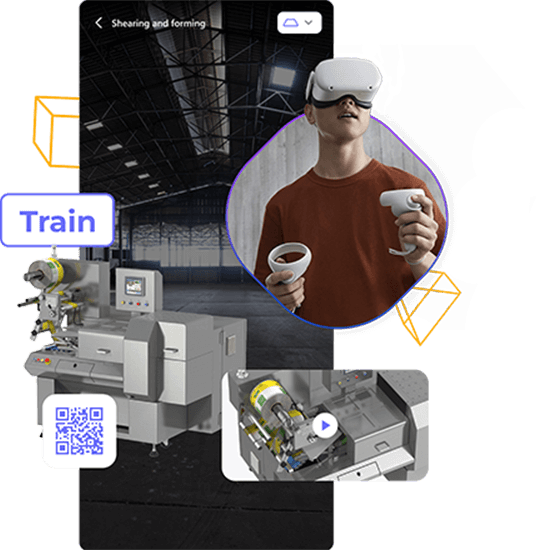

Train frontline workers dispersed across several field service areas with digitized manuals, 3D machine counterparts, and step-by-step training instructions.

Create interactive step-by-step audits and inspection training materials by importing 3D models. Add pdfs, audios, videos, and documents in each step of training.

Improve your maintenance and repair operations by training frontline workers about each step in-detail. Scan the machine and get training materials instantly!

Let your customer service experts self-assist and self-train themselves by accessing interactive training materials, including digitized manuals, videos, documents, etc.

Give your frontline experts interactive training instructions to install and commission service operations. Leverage a centralized knowledge repository of media files.
Employee Engagement
Learning Barriers
Knowledge Transfer
Training Costs
Safety Measures
Training Sessions
Unlock the magic of frontline training on the device of your choice! Our immersive training solution is accessible on every screen you can imagine, from your trusty PC and Mac to your handheld Android, iOS devices or tablets.


Fastest to deploy. Hosted on Plutomen's secure cloud infrastructure. Ideal for multi-site manufacturing and field service.

Full data residency control. Deploy within your own data centre or plant network. Ideal for defense, aerospace, and regulated industries.

Edge-native deployment for low-latency environments. Works offline and syncs when connected. Ideal for remote assets and OT-isolated networks.
Immersive training means using special technology to help people learn how to do jobs in industries like manufacturing, construction, or healthcare. It’s like stepping into a virtual world where you can practice tasks and solve problems just like you would in the real workplace. This makes training more effective because you can learn by doing, and it’s safer because you’re not actually in a risky environment while you’re learning. It’s a bit like playing a realistic video game to become really good at a job.
Immersive Training gives several benefits ranging from safety, practical learning, better employee engagement, low training costs, step-by-step task implementation, etc.
With Plutomen Assist, frontline workers can implement technical training, operations training, safety training, product/ machine knowledge training, and seamless employee knowledge transfer & onboarding.
Plutomen Assist is an immersive learning software that helps you train your front-line teams with AR/ VR guided instructions and allows experts in your team to pass on knowledge to new joiners. With the software, all the registered users can develop their own training modules and even keep all the information insight for future use whenever necessary. Pre-built knowledge repositories are one of the best ways to reduce employee workload while supporting manufacturing processes like assembly, QA and initial training.
Plutomen Assist can ease frontline training in many ways including:
Admins can select an existing template or create a new template for uploading guide and for better usage, they can create subcategories and add tags. Initially for a new guide, you will require to add a topic or a machine. Once done, use the Barcode/ QR code Scanning option to identify the machines. For safety reasons, only admins can create, edit, and manage guides created on Plutomen Assist.
To find any specific AR-based instruction guides or training modules, all you need to do is navigate to the category and look for the documents you specifically need. This makes MRO easier and is extremely helpful in preserving the knowledge bank for future references.
Fix technical issues on time, without compromising the safety of your frontline workforce.